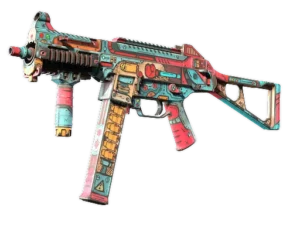
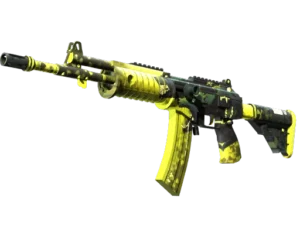
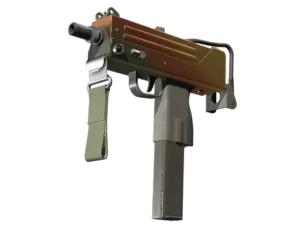
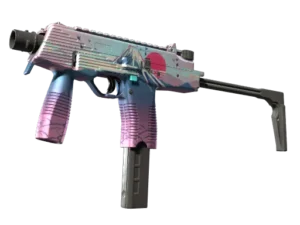
NickelBack

Name
Aleksey Trofimov
Country
country icon
Russia
Birthday
Jul 17, 1997

Aleksey “NickelBack” Trofimov is a professional Counter-Strike player from Russia. Born on Jul 17, 1997.

Active since 2016, NickelBack has competed in the professional Counter-Strike scene. During his career, he has earned around $193,084 in prize money through tournament competition.

NickelBack CS2 Settings

NickelBack Crosshair Settings

CSxUfEqU6PAOoT4iKkEe5SQVisxXeQ2QNwU6n3Z6mreseL
Style
Static Cross
Color and Transparency
#00FF8B / A 255
Outline
No Outline
Outline Color and Transparency
#000000 / A 255
Thickness
1
Center Dot
No
Length
5
Gap
2
Dynamic Spread Limit
255
Split Distance
3
Inner Split Alpha
0.00
Outer Split Alpha
1.00
Split Size Ratio
1.00
T Style
No
Use Crosshair Color for Scope Dot
No
Scope Dot Scale
1.00
Follow Recoil
No
Screen Resolution
1080

NickelBack Mouse Settings

Logitech G Pro X Superlight Red
mouse
Logitech G Pro X Superlight Red
DPI
800
Sensitivity
1.1
eDPI
880.00
Zoom Sensitivity
0.98
Hz (Refresh Rate)
1000
Windows Sensitivity
6

NickelBack Config

Download the full config file
Place the extracted config file into the following folder:
Steam\steamapps\common\Counter-Strike Global Offensive\game\csgo\cfg
Then launch the game, press “~” to open the console, and type:
exec autoexec.cfg

NickelBack Viewmodel

viewmodel_fov 68; viewmodel_offset_x 2.5; viewmodel_offset_y 0; viewmodel_offset_z -1.5; viewmodel_presetpos 2;
FOV
68
Offset X
2.5
Offset Y
0
Offset Z
-1.5
Preset Pos
2

Video Settings

Resolution
1280x960
Aspect Ratio
4:3
Scaling Mode
Stretched
Brightness
Unknown
Display Mode
Fullscreen

Advanced Video Settings

Boost Player Contrast
Unknown
V-Sync
Unknown
NVIDIA Reflex Low Latency
Unknown
NVIDIA G-Sync
Unknown
Maximum FPS In-Game
Unknown
Multisample Anti-Aliasing Mode
Unknown
Global Shadow Quality
Unknown
Dynamic Shadows
Unknown
Model / Texture Quality
Unknown
Texture Filtering Mode
Unknown
Shader Detail
Unknown
Particle Detail
Unknown
Ambient Occlusion
Unknown
High Dynamic Range
Unknown
FidelityFX Super Resolution
Unknown

HUD Settings

HUD Scale
0.95
HUD Color
Bright White

Radar Settings

Radar Centers The Player
Yes
Radar is Rotating
Yes
Toggle Shape With Scoreboard
Yes
Radar HUD Size
0.97
Radar Map Zoom
1.00

NickelBack Gear

  • ZOWIE XL2546K

    monitor

    ZOWIE XL2546K
  • Logitech G Pro X Superlight Red

    mouse

    Logitech G Pro X Superlight Red
  • Razer BlackWidow V3 TKL

    keyboard

    Razer BlackWidow V3 TKL
  • Logitech G Pro X Headset

    headset

    Logitech G Pro X Headset
  • VAXEE PA Black

    mousepad

    VAXEE PA Black
  • NVIDIA GeForce RTX 3080

    graphics card

    NVIDIA GeForce RTX 3080

NickelBack Monitor Settings

ZOWIE XL2546K
monitor
ZOWIE XL2546K

Game Settings

DyAc
Premium
Black eQualizer
11
Color Vibrance
9
Low Blue Light
0

Picture

Picture Mode
Gamer 1
Brightness
100
Contrast
70
Sharpness
10
Gamma
Gamma 3
Color Temperature
User Define
Red
100
Green
100
Blue
100
AMA
Premium