Boye

Name
Jonas Østergaard
Country
country icon
Denmark
Birthday
Jun 01, 2004

Jonas “Boye” Østergaard is a professional Counter-Strike player from Denmark. Born on Jun 01, 2004.

Active since 2021, Boye has competed in the professional Counter-Strike scene. During his career, he has earned around $10,348 in prize money through tournament competition.
Boye CS2 Settings

Boye Crosshair Settings

CSuZMjVAwnb7ZEyHOLcnTyuEBvzCb2FToPz7fJXweoOoie
Style
Static Cross
Color and Transparency
#33FF00 / A 255
Outline
No Outline
Outline Color and Transparency
#000000 / A 255
Thickness
2
Center Dot
No
Length
2
Gap
1
Dynamic Spread Limit
255
Split Distance
7
Inner Split Alpha
1.00
Outer Split Alpha
0.50
Split Size Ratio
0.30
T Style
No
Use Crosshair Color for Scope Dot
No
Scope Dot Scale
1.00
Follow Recoil
No
Screen Resolution
1080

Boye Mouse Settings

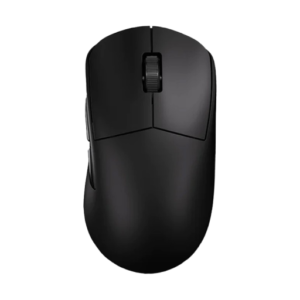
Sprime PM1
mouse
Sprime PM1
DPI
400
Sensitivity
1.6
eDPI
640.00
Zoom Sensitivity
1
Hz (Refresh Rate)
1000
Windows Sensitivity
7

Boye Config

Download the full config file
Place the extracted config file into the following folder:
Steam\steamapps\common\Counter-Strike Global Offensive\game\csgo\cfg
Then launch the game, press “~” to open the console, and type:
exec autoexec.cfg

Boye Viewmodel

viewmodel_fov 68; viewmodel_offset_x 2.5; viewmodel_offset_y -2; viewmodel_offset_z -2; viewmodel_presetpos 0;
FOV
68
Offset X
2.5
Offset Y
-2
Offset Z
-2
Preset Pos
0

Boye Launch Options

-console -allow_third_party_software +exec autoexec.cfg

Video Settings

Resolution
1280x1024
Aspect Ratio
5:4
Scaling Mode
Stretched
Brightness
100%
Display Mode
Fullscreen

Advanced Video Settings

Boost Player Contrast
Enabled
V-Sync
Disabled
NVIDIA Reflex Low Latency
Enabled
NVIDIA G-Sync
Disabled
Maximum FPS In-Game
0
Multisample Anti-Aliasing Mode
4x MSAA
Global Shadow Quality
Very High
Dynamic Shadows
All
Model / Texture Quality
High
Texture Filtering Mode
Anisotropic 16x
Shader Detail
High
Particle Detail
Very High
Ambient Occlusion
High
High Dynamic Range
Performance
FidelityFX Super Resolution
Disabled (Highest Quality)

HUD Settings

HUD Scale
1.1
HUD Color
Red

Radar Settings

Radar Centers The Player
Yes
Radar is Rotating
Yes
Toggle Shape With Scoreboard
Yes
Radar HUD Size
1
Radar Map Zoom
0.8

Boye Gear

  • ZOWIE XL2540K

    monitor

    ZOWIE XL2540K
  • Sprime PM1

    mouse

    Sprime PM1
  • Wooting 80HE Black

    keyboard

    Wooting 80HE Black
  • Logitech G PRO X 2 Headset Magenta

    headset

    Logitech G PRO X 2 Headset Magenta
  • SteelSeries QcK+

    mousepad

    SteelSeries QcK+

Boye Monitor Settings

ZOWIE XL2540K
monitor
ZOWIE XL2540K

Game Settings

DyAc
Premium
Black eQualizer
20
Color Vibrance
20
Low Blue Light
0

Picture

Picture Mode
Gamer 2
Brightness
100
Contrast
50
Sharpness
7

Boye Graphics Card Settings

Display

Digital Vibrance
50%

Latest Boye News