![m0NESY CS2 Settings: Full Guide [2025] Background](https://community.skin.club/wp-content/uploads/2024/03/Background-1.jpg)

Ilya “m0NESY” Osipov is one of the most exciting young talents in Counter-Strike 2. Now an AWPer for Falcons Esports, he carries the momentum of a 2024 season that saw him reach 2nd place in the HLTV world rankings and his reputation as one of the game’s most formidable talents. While inheriting m0NESY’s settings in CS2 won’t bestow his extraordinary talent, they could provide that slight edge needed to escalate your gameplay. Beyond his raw skill, many fans and aspiring players look to his in-game setup to understand what makes him so consistent. So, let’s break down m0NESY’s setup, including his mouse, video settings, viewmodel, and gear, to see how you can implement them in your own game.
m0NESY’s CS2 Config
Crosshair Settings
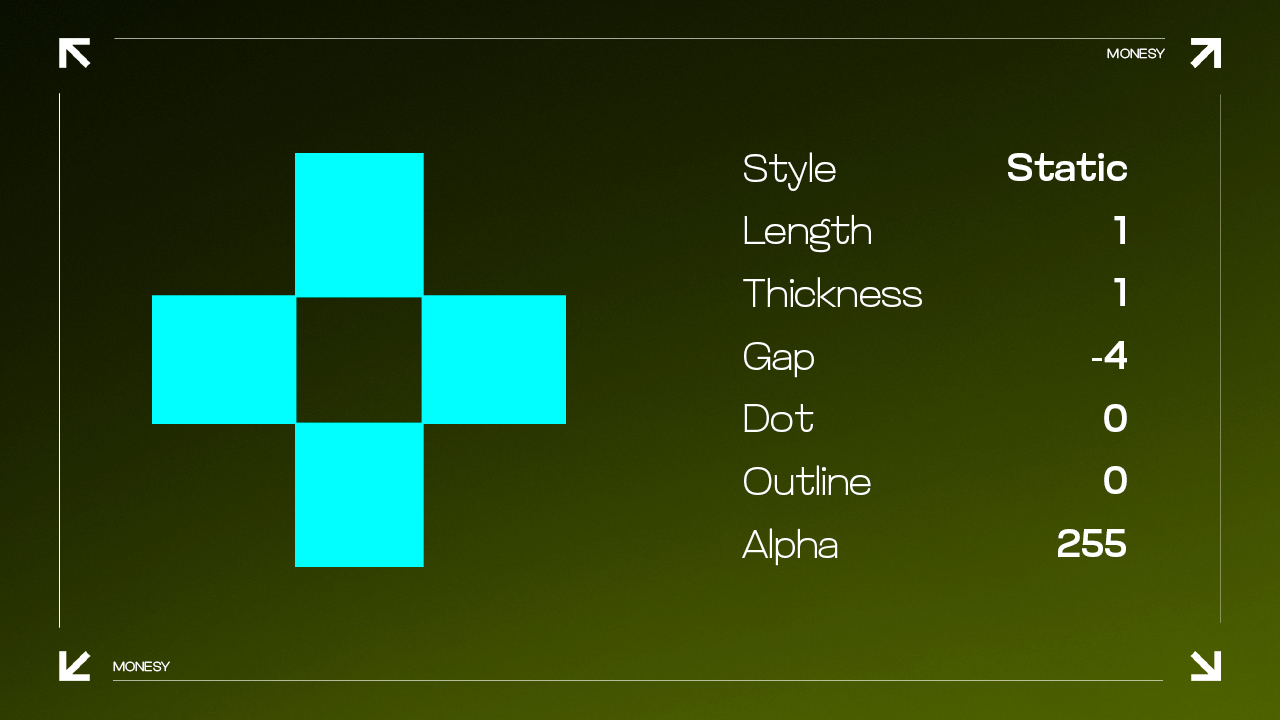
Crosshair customization is key for aiming in CS2, and m0NESY’s crosshair settings are designed for clarity and precision. His crosshair is simple, ensuring it’s always visible but not distracting during fast-paced engagements.
- Crosshair Code: CSGO-wAD3c-ykt5L-zvZ98-vBisR-6sWPA
- Style: Classic Static
- Follow Recoil: No
- Dot: 0
- Length: 1
- Thickness: 1
- Gap: -4
- Outline: No
- Red: 0
- Green: 255
- Blue: 0
- Alpha Value: 255
Discover optimal CS2 crosshair codes for any player & settings used by pros for precision aiming in 2025. Make more headshots with expert configurations.
Mouse Settings
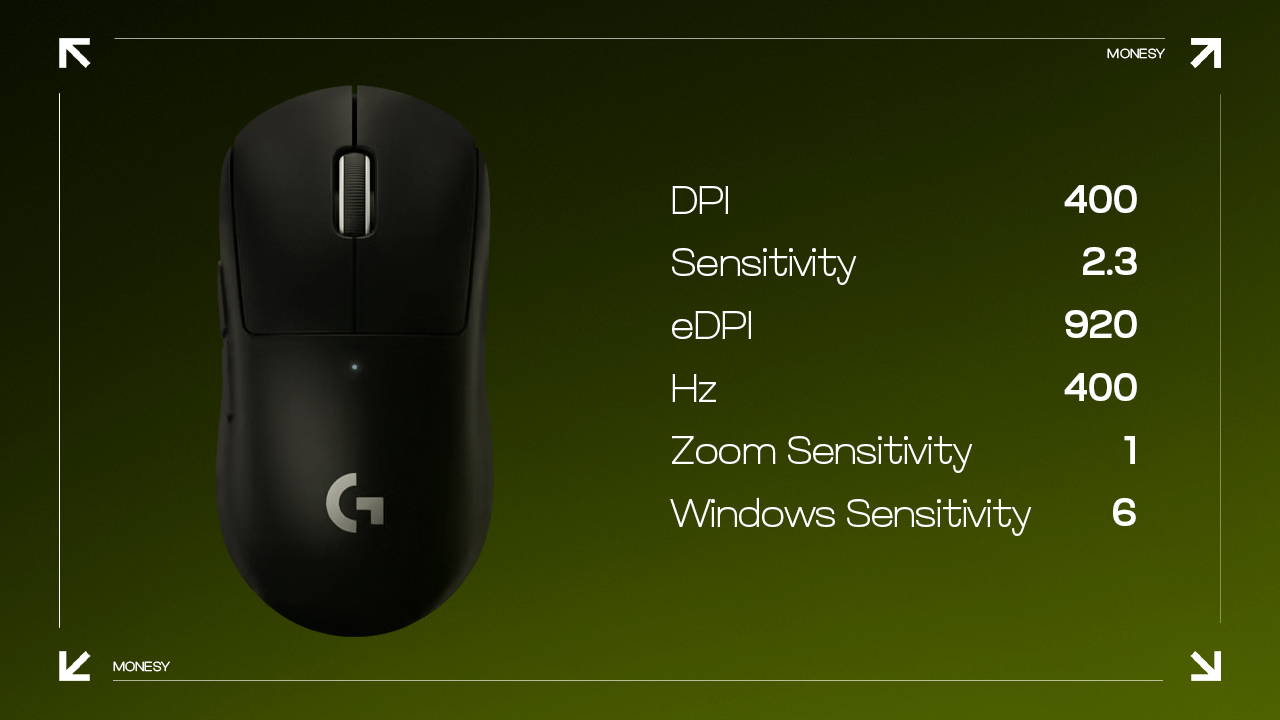
m0NESY’s sensitivity settings, in particular, help him to react quickly while maintaining precision. He opts for a lower sensitivity, giving him better control for those long-range shots while maintaining consistent precision in close engagements.
- DPI: 400
- Sensitivity: 2.3
- eDPI: 920
- Hz: 2000
- Zoom Sensitivity: 1
- Windows Sensitivity: 6
Video Settings
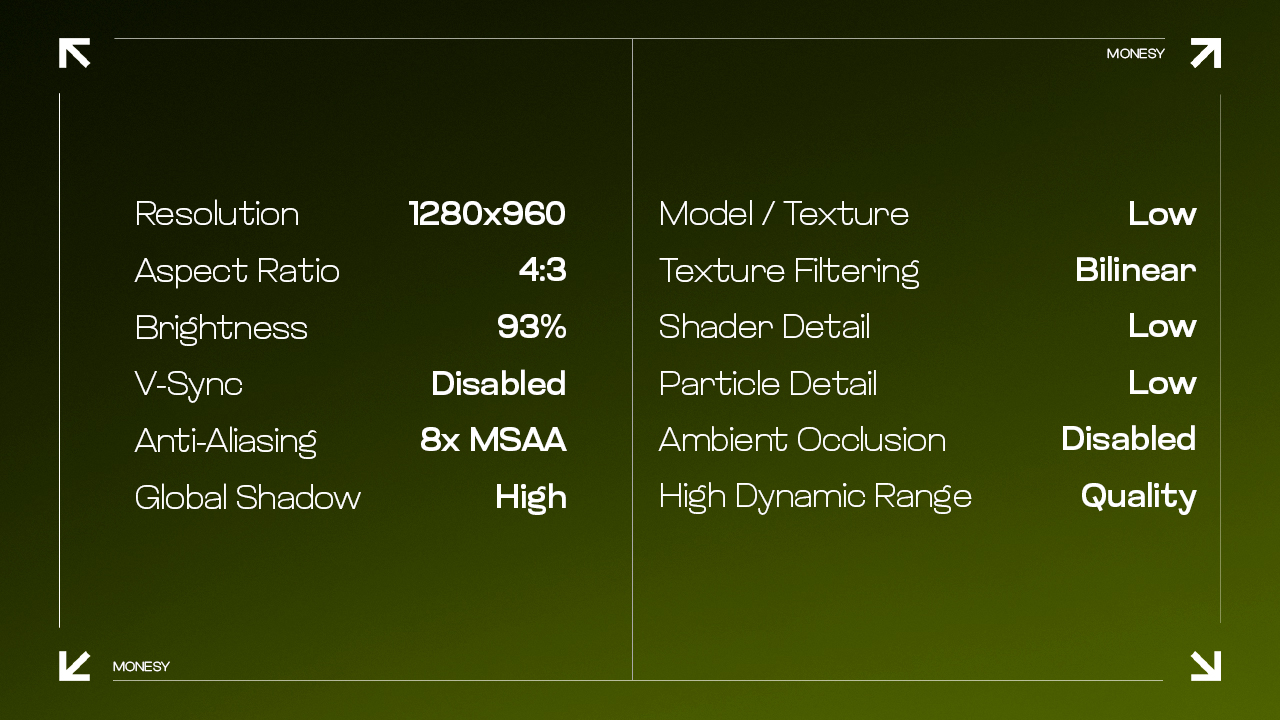
Like most professional players, m0NESY prioritizes frame rate and visibility over graphical fidelity, ensuring that he can see and react to enemies without any lag.
- Resolution: 1280×960
- Aspect Ratio: 4:3
- Scaling Mode: Stretched
- Brightness: 93%
- Display Mode: Fullscreen
- Boost Player Contrast: Disabled
- V-Sync: Disabled
- NVIDIA Reflex Low Latency: Disabled
- Multisampling Anti-Aliasing Mode: 8x MSAA
- Global Shadow Quality: High
- Dynamic Shadows: All
- Model/Texture Detail: Low
- Texture Filtering Mode: Bilinear
- Shader Detail: Low
- Particle Detail: Low
- Ambient Occlusion: Disabled
- High Dynamic Range: Performance
- Fidelity FX Super Resolution: Disabled (Highest Quality)
Viewmodel
m0NESY’s viewmodel is minimalistic, keeping his weapon out of the way to maximize screen real estate, allowing him to focus on opponents.
- Viewmodel FOV: 68
- Viewmodel Offset X: 2.5
- Viewmodel Offset Y: 0
- Viewmodel Offset Z: -1.5
- Viewmodel Presetpos: 3
Master CS2 FOV and viewmodel commands with our comprehensive guide. Optimize your field of view and in-game perspective for improved gameplay.
Monitor Settings
- Monitor: ZOWIE XL2586X+
- DyAc: Premium
- Black eQualizer: 12
- Color Vibrance: 12
- Brightness: 100
- Contrast: 50
- Sharpness: 10
- Gamma: Gamma 2
- Color Temperature: Normal
Gear
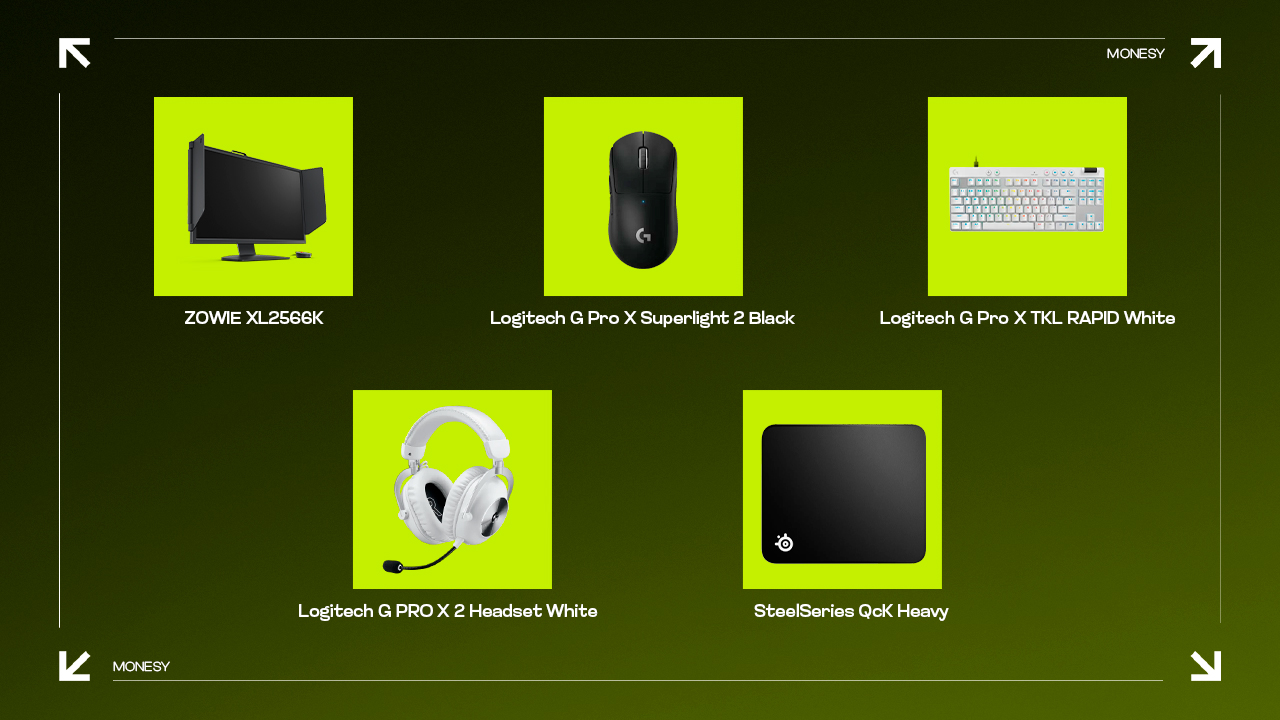
m0NESY’s gear is carefully selected for its quality and performance, ensuring that it never holds him back during intense matches.
- Monitor: ZOWIE XL2586X+
- Mouse: Logitech G Pro X Superlight 2 Black
- Keyboard: Logitech G Pro X TKL Keyboard White (GX Brown Tactile)
- Headset: Logitech G Pro X Headset
- Mousepad: SteelSeries QcK Heavy
Play Like m0NESY
Ready to step up your game? Tweaking your settings to mirror m0NESY’s CS2 settings can give you that extra edge you’ve been looking for. While copying his config won’t automatically make someone an elite AWPer, it provides valuable insight into how one of the best players in the world optimizes his gameplay. Remember that you don’t have to be a pro to start using these settings. Tinker with them, experiment, and see what feels right for you. So why not give it a shot? You’ve got the setup of a CS2 superstar right in front of you. Adjust those settings, load up a game, and get ready to frag like m0NESY!
FAQ
-
What keyboard does m0NESY use?
m0NESY uses the Logitech G Pro X TKL RAPID White keyboard. It has top-tier performance and compact design. The tenkeyless layout offers more space for mouse movement, which is crucial in fast-paced games like CS2. Its optical switches provide rapid response times and durability, essential for competitive play. Additionally, the keyboard’s build quality and customizable RGB lighting make it both functional and visually appealing, matching m0NESY’s needs as a professional gamer.
-
What mouse does m0NESY use?
m0NESY uses the Logitech G Pro X Superlight 2 mouse. This mouse is favored for its lightweight design, weighing in at approximately 63 grams, which reduces hand fatigue and allows for quicker, more precise movements. The mouse features a high-precision sensor and is wireless, providing freedom of movement without sacrificing performance, making it a popular choice among professional esports athletes.
-
What is m0NESY’s age?
Ilya “m0NESY” Osipov is 20 years old, having been born on May 1, 2005. He currently competes in Counter-Strike 2 as the star AWPer for Team Falcons.
![Desert Eagle Heat Treated CS2 Guide & Patterns [2026]](https://community.skin.club/wp-content/uploads/2026/09/Main-x-Name-11-768x432.jpg)