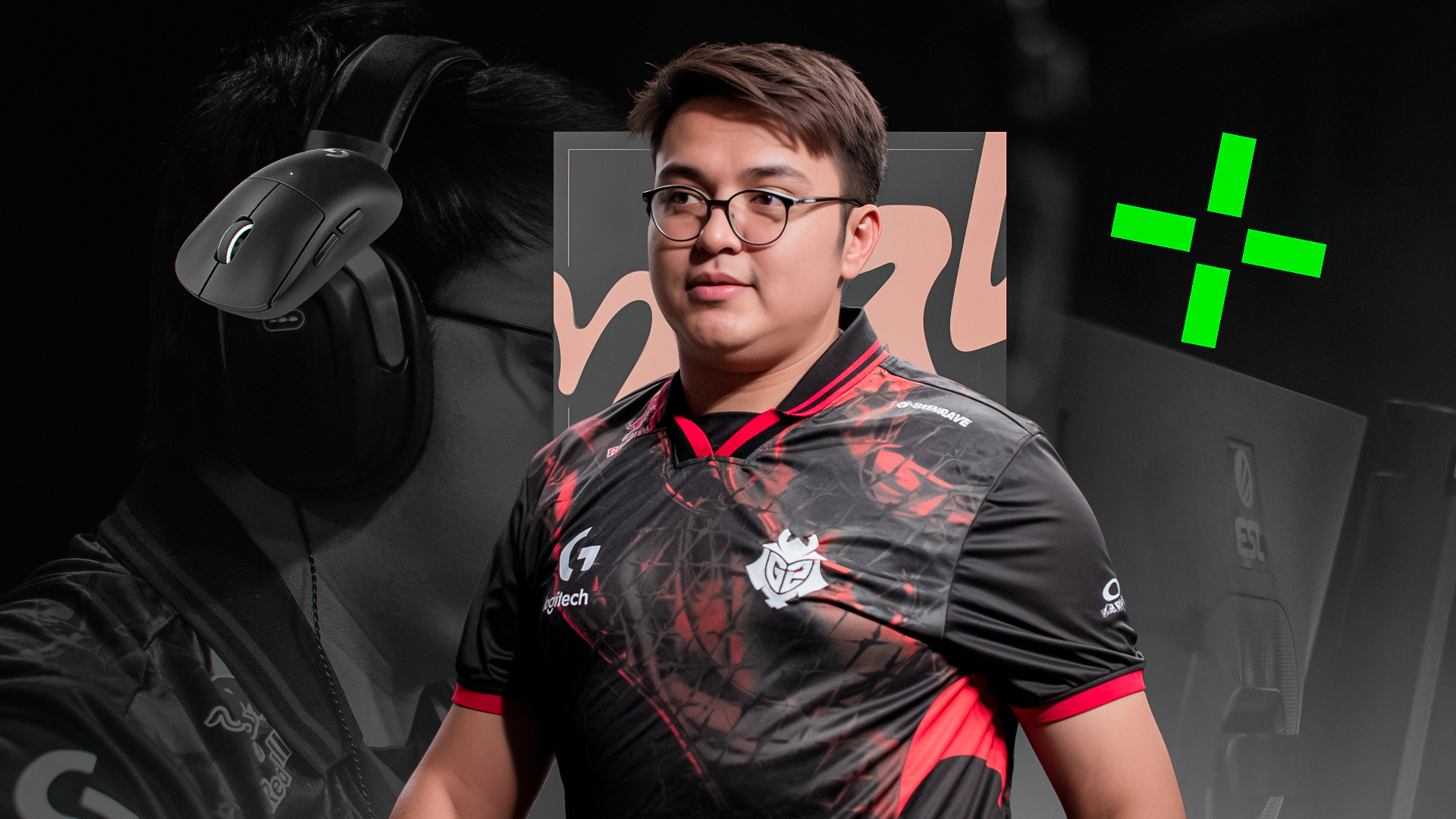
Mario “malbsMd” Samayoa is a rising pro player in CS2 scenes, hailing from Guatemala and currently playing for G2 Esports. Since making his debut in 2016, he’s quickly become known for his sharp shooting. He’s especially effective as an entry fragger, often leading the charge with impressive stats and helping G2 secure early-round advantages. His consistent performance helped him earn the EVP title at major events like the BLAST Premier Fall Final and World Final in 2024, marking him as a standout player. In this article, we’ll look at malbsMd’s settings and gear, exploring how his choices contribute to his exceptional performance in the competitive CS scene.
malbsMd’s CS2 Config
Crosshair Settings
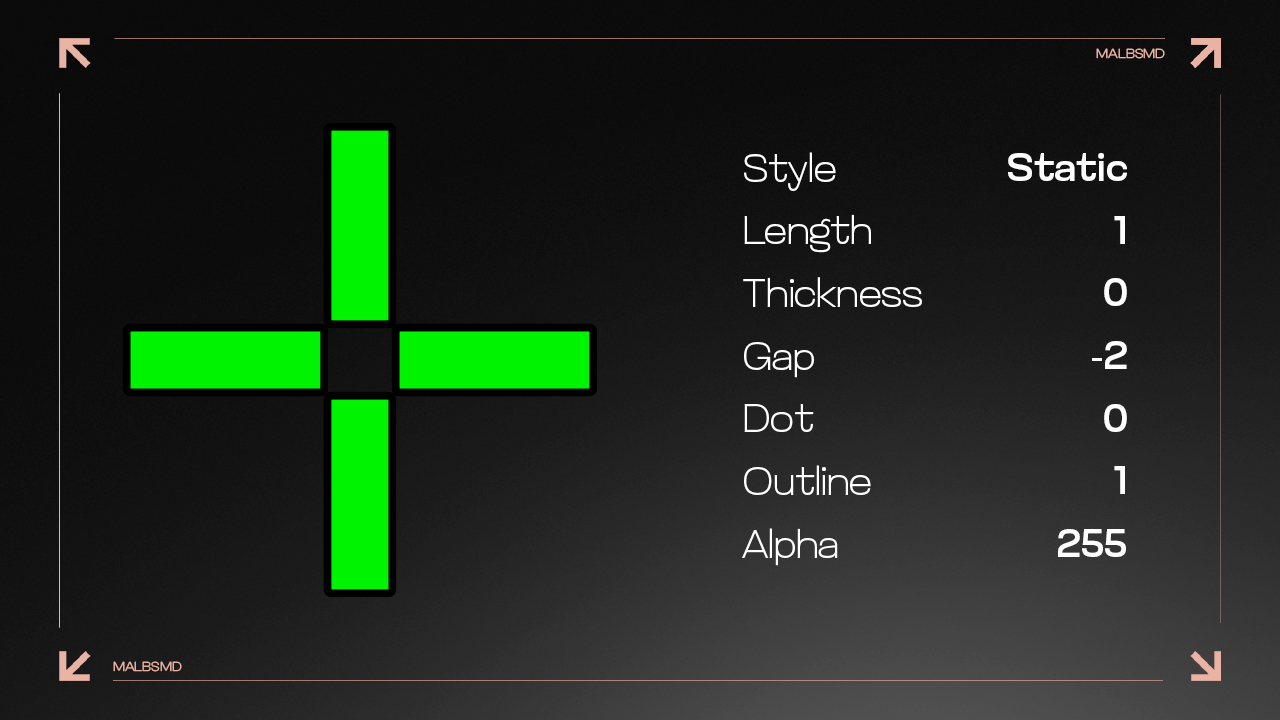
- Crosshair Code: CSGO-MQYLm-nK5pN-DtXZW-KkmSV-OP3ED
- Crosshair Style: Classic Static
- Follow Recoil: No
- Dot: No
- Length: 1
- Thickness: 0
- Gap: -2
- Outline: 0.5
- Color: Green
- Red: 0
- Green: 0
- Blue: 0
- Alpha Value: 255
Discover optimal CS2 crosshair codes for any player & settings used by pros for precision aiming in 2026. Make more headshots with expert configurations.
Mouse Settings
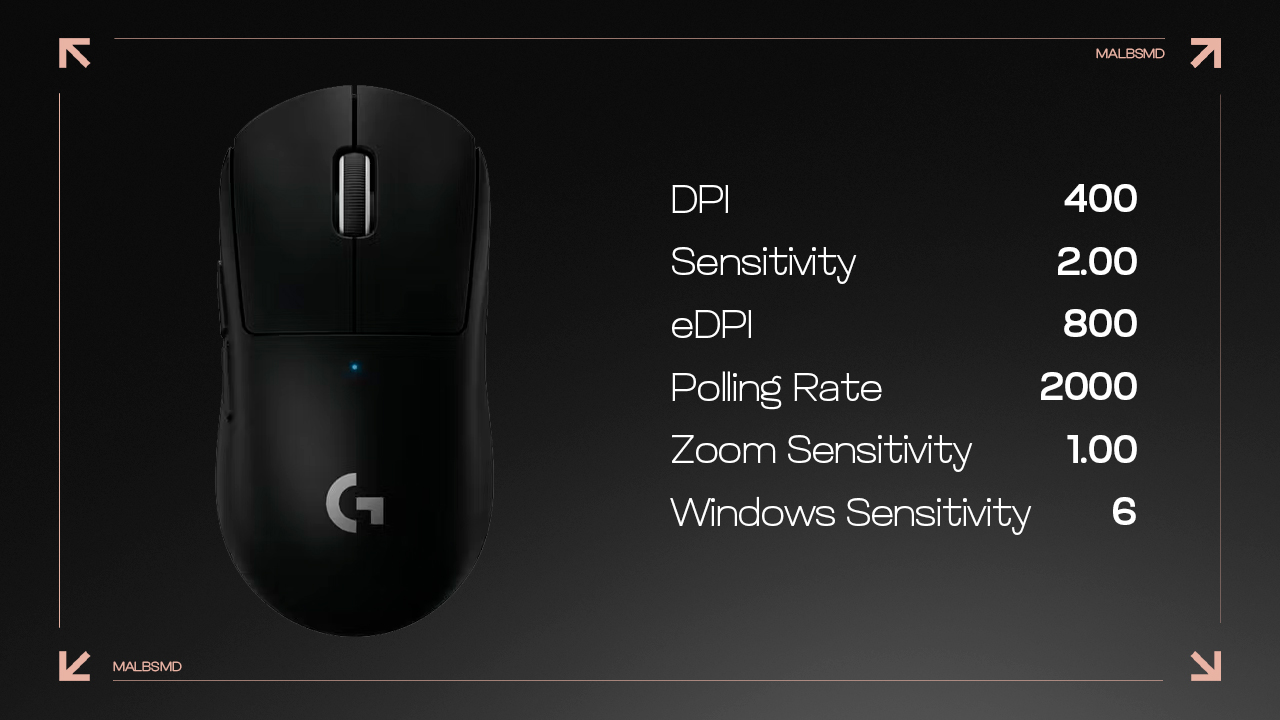
malbsMd uses a sensitivity of 2.0, which is considered on the higher end for most professional players. This setting allows him to make quick, responsive movements.
- DPI: 400
- Sensitivity: 2.0
- eDPI: 800
- Polling Rate: 2000 Hz
- Zoom Sensitivity: 1
- Windows Sensitivity: 6
Viewmodel
- Viewmodel FOV: 68
- Viewmodel Offset X: 2.5
- Viewmodel Offset Y: 0
- Viewmodel Offset Z: -1.5
- Viewmodel Presetpos: 3
Video Settings
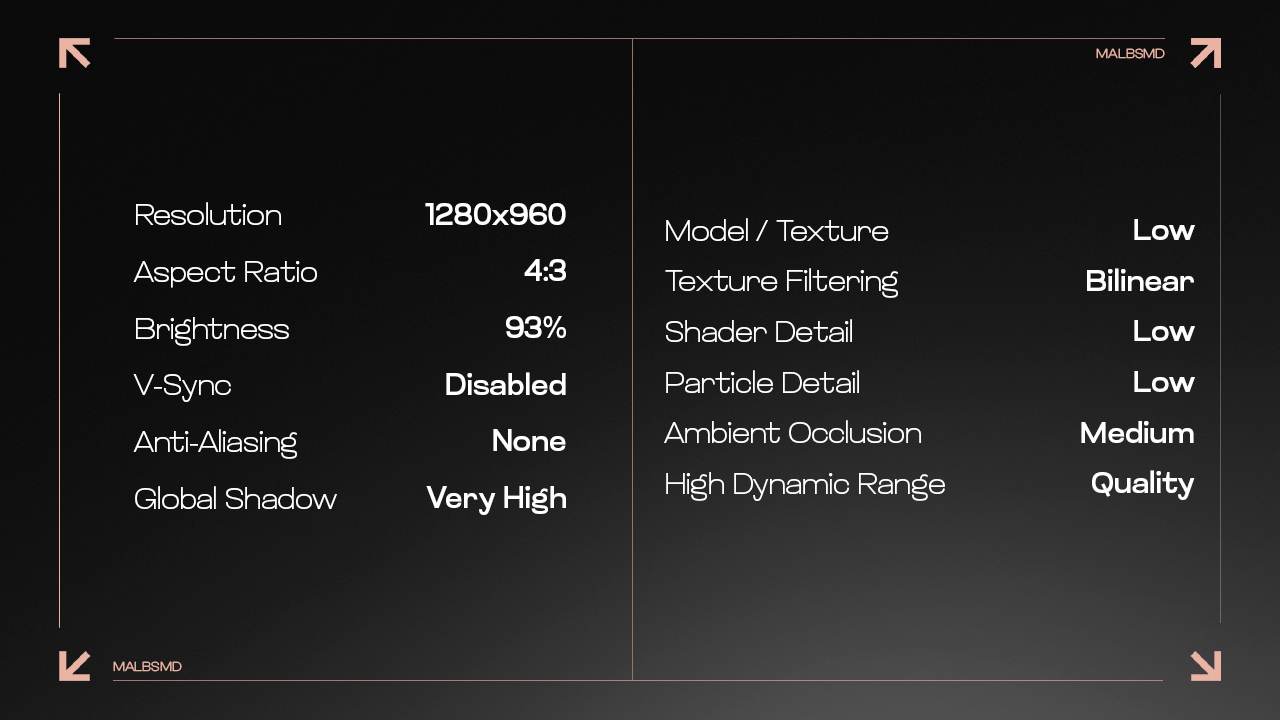
malbsMd’s resolution is 1280×960, which is a popular choice among players who prefer a stretched resolution. This resolution gives him a wider view of the action, making it easier to spot opponents.
- Resolution: 1280×960
- Aspect Ratio: 4:3
- Scaling Mode: Stretched
- Brightness: 93%
- Display Mode: Fullscreen
- Boost Player Contrast: Enabled
- V-Sync: Disabled
- NVIDIA Reflex Low Latency: Enabled
- Multisampling Anti-Aliasing Mode: None
- Global Shadow Quality: Very High
- Model / Texture Detail: Low
- Texture Filtering Mode: Bilinear
- Shader Detail: Low
- Particle Detail: Low
- High Dynamic Range: Quality
- FidelityFX Super Resolution: Disabled (Highest Quality)
Monitor Settings
- Monitor: ZOWIE XL2546K
- DyAc: Off
- Black eQualizer: 10
- Color Vibrance: 20
- Brightness: 80
- Contrast: 60
- Sharpness: 8
- Color Temperature: Normal
- Gamma: Gamma 4
Also read our article on the best monitor for CS2. Unleash smooth gameplay, low input lag, and razor-sharp visuals.
malbsMd’s Setup Secrets
Looking at malbsMd’s settings and gear, it’s clear that everything he uses is built for speed, precision, and comfort—perfect for his high-energy, entry-fragging role. Every element of his setup, from his quick sensitivity to the small crosshair, is made to enable him to respond quickly. His stretched resolution gives him the edge in spotting enemies, while his gear keeps him comfortable and ready for anything during those long tournament matches. For anyone out there thinking about tweaking their settings to match malbsMd’s, the key is to remember that it’s all about finding what works for you. malbsMd’s gear and settings help him play to his strengths, but yours might be different, and that’s okay. The beauty of CS2 is that there’s no one-size-fits-all approach. So take inspiration from pros like malbsMd, but experiment with your own setup until it feels just right. What really matters is getting comfortable with your gear and settings, so you can focus on what really counts is practice.


![apEX CS2 Settings: Full Guide [2026]](https://community.skin.club/wp-content/uploads/2025/02/Main-x-Name-4-3.jpg)