
CS2 practice sessions often need more than aim drills and grenade lineups. Visibility commands can show player models through walls, making it easier to study angles, check hiding spots, and understand how fights develop on each map. Wallhack commands are useful for private lobbies, server testing, and demo-style reviews, where every position can be checked without guessing. Accuracy is the key issue in 2026, as Counter-Strike has gone through enough changes to make many older commands from CS:GO or early CS2 builds stop working. That makes it important to choose a CS 2 wallhack code that still works in the current version of CS2.
What Is Wallhack in CS2?
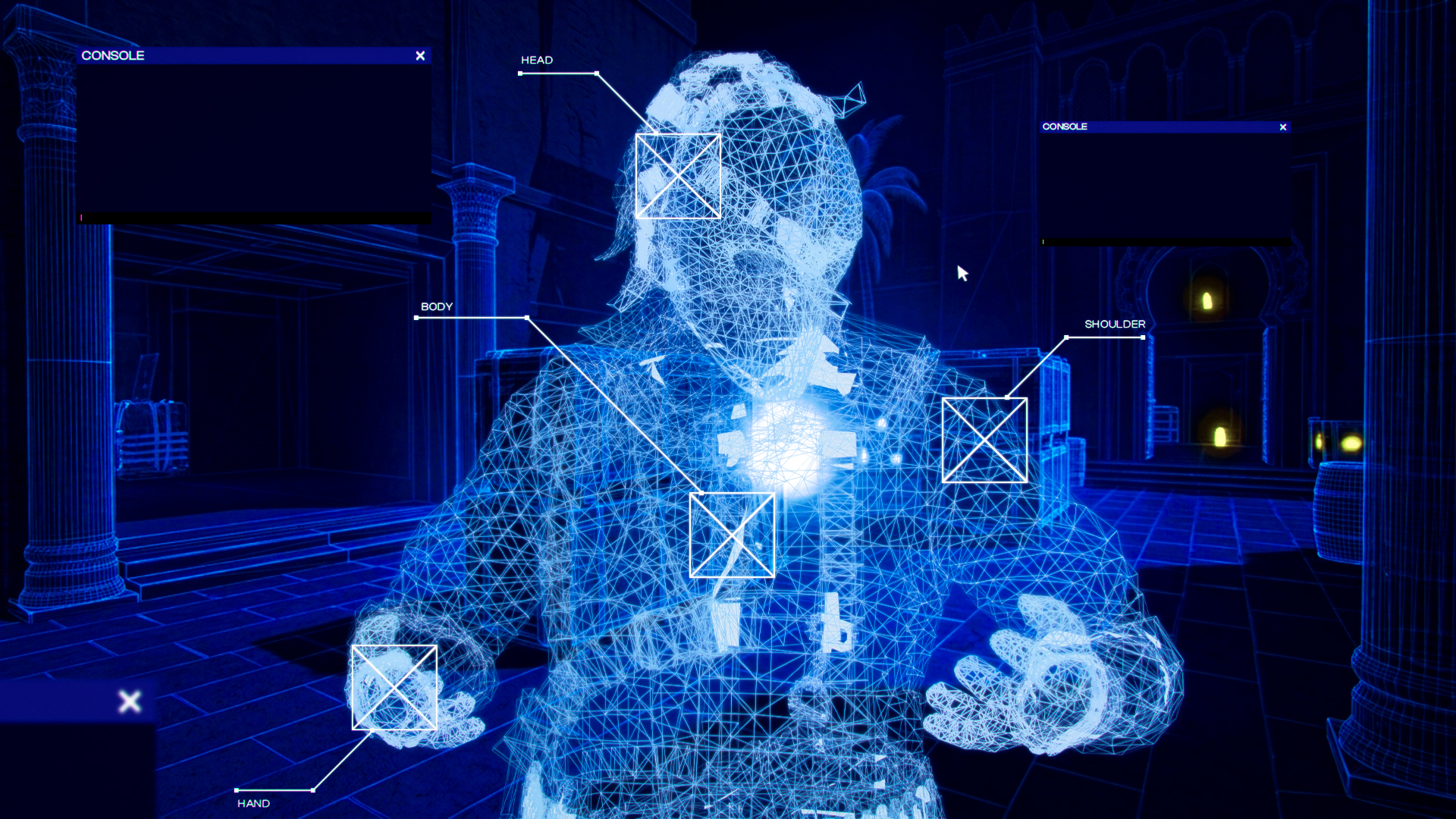
A wallhack in CS2 is a visibility effect that makes player models or positions visible through walls and other solid parts of the map. In regular matches, the term is usually linked to cheating software, but in practice it can also describe built-in console or server features used in private lobbies. It makes it easier to check angles, learn common hiding places, understand rotations, and see how enemies can appear around specific map positions. It’s especially helpful when working on peeks, crosshair placement, pre-aims, and utility practice.
The key difference is the source of the effect. Third-party software is treated as cheating, while the methods described below work through CS2’s own tools and practice-friendly settings. They don’t install anything, modify game files, or provide an advantage in live matches, so a VAC ban isn’t a concern when they’re used as intended.
CS2 Wallhack Commands That Actually Work
Step 1: Enable Developer Console
CS2 wallhack commands are entered through the developer console, so it has to be enabled first:
- Open CS2 Settings from the main menu.
- Go to the Game tab, where general gameplay options are listed.
- Find the Enable Developer Console option.
- Switch it to Yes so the console can be opened during a match or practice session.
- Apply the changes and return to the game.
- Start a practice session, private lobby, or custom server where console commands can be tested.
- Press the console key (~) to open the command window.
- If the console doesn’t open, check the keyboard bind in the settings and assign a working key manually.
Step 2: Enable sv_cheats
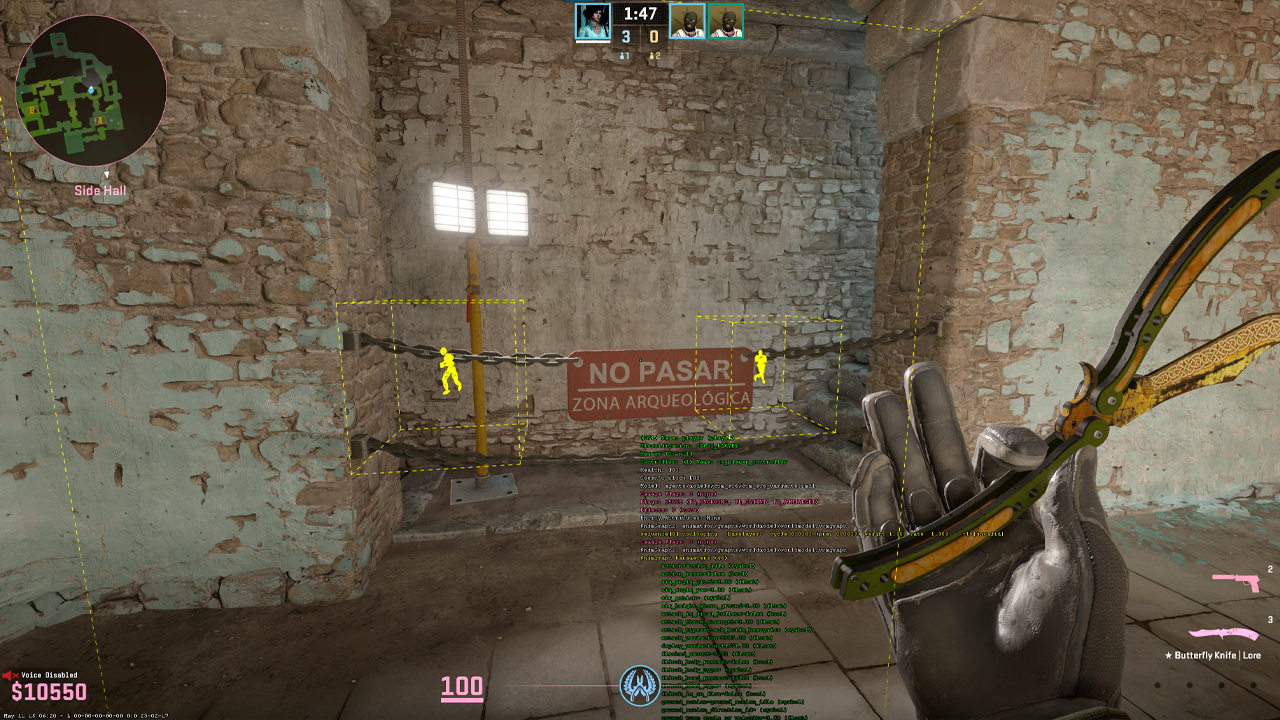
Before using any CS2 wallhack command, sv_cheats true has to be enabled in the console. This option allows cheat-protected commands to work in training mode, private lobbies, or custom servers where full practice settings are available. Without it, the wallhack command may be entered correctly but still won’t show any effect. Once sv_cheats true is active, the server can respond to visibility commands used for checking positions, testing angles, and reviewing player models through walls.
Step 3: Enter the Wallhack Command
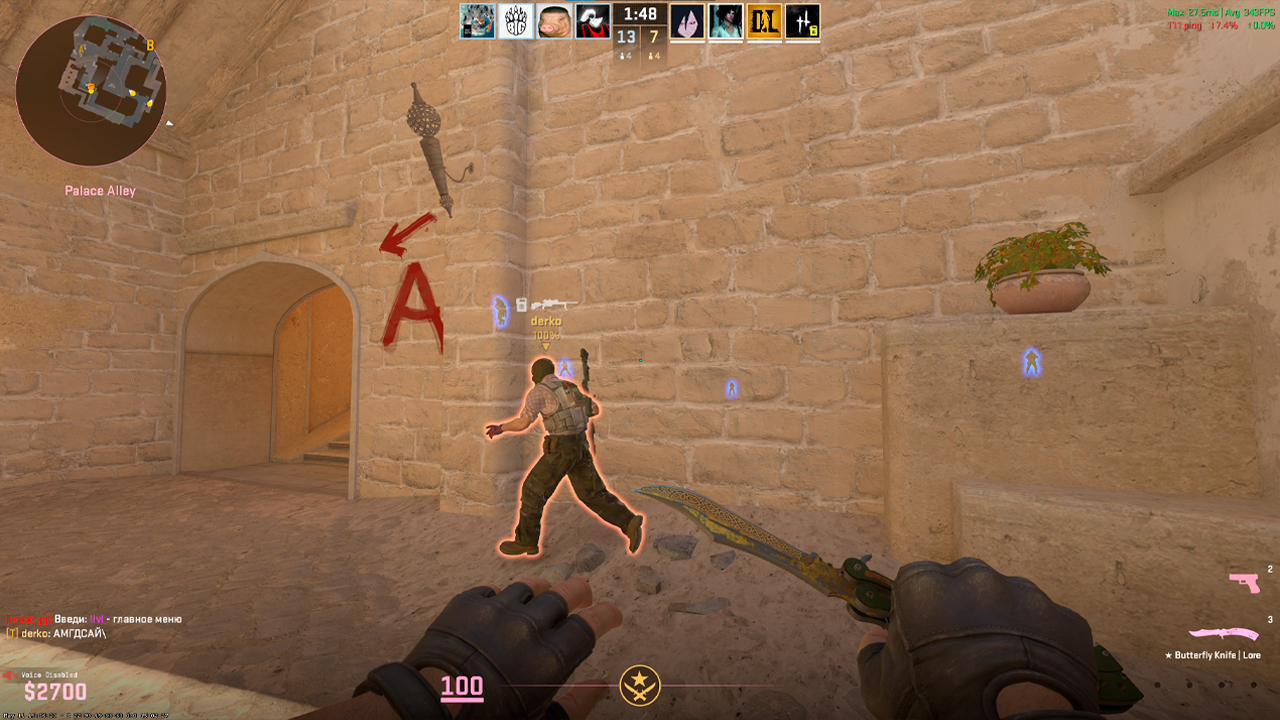
- ent_text PLAYER, ent_skeleton [PLAYER], ent_skeleton [NUMBER]: This WH command CS2 method shows players through walls in a skeleton format. ent_text PLAYER shows player entity info and helps identify the moving player entity number. ent_skeleton PLAYER shows skeleton overlays, and ent_skeleton [NUMBER] targets a specific entity.
- toggle r_aoproxy_show 0 1: This command switches a yellow wallhack-style display on and off, making enemies visible through walls during practice or private server testing.
Wallhack Display Modes Explained
The skeleton mode is cleaner for reading player positions because it shows body structure through walls without filling the screen with solid models. However, this method requires entering a series of commands at once, which can be inconvenient for everyday use. The yellow display mode is more direct and easier to use, since enemies stand out clearly behind map geometry. Both options replace the old CS GO wall hack command r_drawothermodels 2, which no longer works in CS2.
How to Disable Wallhack
To turn off the skeleton display, use ent_clear_debug_overlays or cl_ent_clear_debug_overlays. For the yellow display mode, enter toggle r_aoproxy_show 0 1 again to switch it back.
CS2 Wallhack Servers: Practice Without Commands
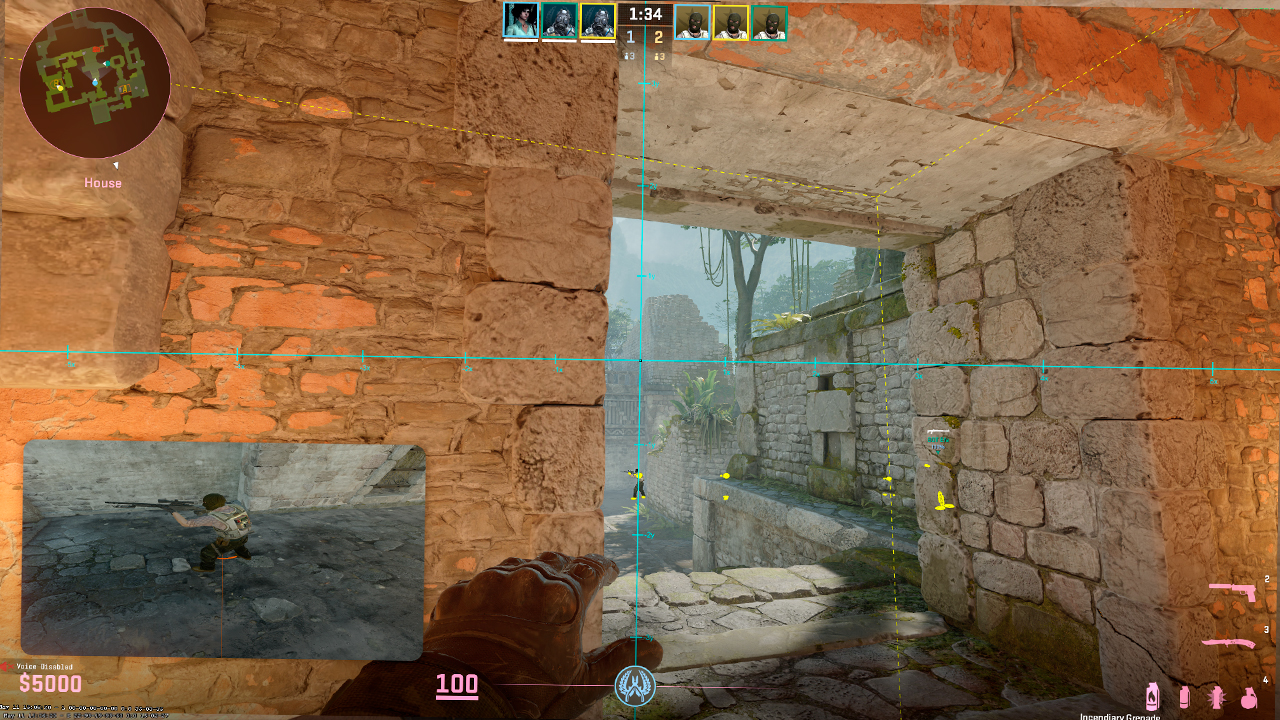
CS2 wallhack servers work differently from console setups. The visibility effect is already built into the server or custom Workshop mode, so there’s no need to enter commands manually after joining. Once the match starts, players can see through walls according to the rules set by the host or map creator. This makes practice easier, since there’s no need to stop and adjust any wallhack command CS2 setup through the console.
To find this type of practice mode, open the Steam Workshop for Counter-Strike 2 and search for terms like WH or wallhack practice. A map such as Mirage Wallhack can be used as an example of this format: the idea is to load a modified Mirage-based setup where the wallhack effect is already part of the session.
Server-Based Wallhack vs Console Commands
Server-based wallhack and console commands can help with map learning, angle checks, and positioning, but they work differently and suit different practice goals.
Feature | Server-Based Wallhack | Console Commands |
|---|---|---|
How it works |
The visibility effect is already built into the server, custom mode, or Workshop map before the match starts. |
The effect has to be activated manually through the developer console. |
Setup |
No manual command setup is needed after connecting to the server or loading the map. |
The console must be enabled, then sv_cheats and the correct working command have to be entered. |
Best use case |
Better for active practice against real players, since movement, timing, and reactions feel more natural than bot practice. |
Better for solo testing, angle checks, map review, and controlled practice without other players. |
Convenience |
Easier to start, because the effect loads with the server or map settings. |
Takes more steps, especially if commands have to be re-entered or adjusted between sessions. |
Practice value |
Useful for peeks, rotations, timing, and reading real player movement. |
Useful for checking positions, learning angles, testing lineups, and reviewing specific map spots. |
How to Use Wallhack for Practice
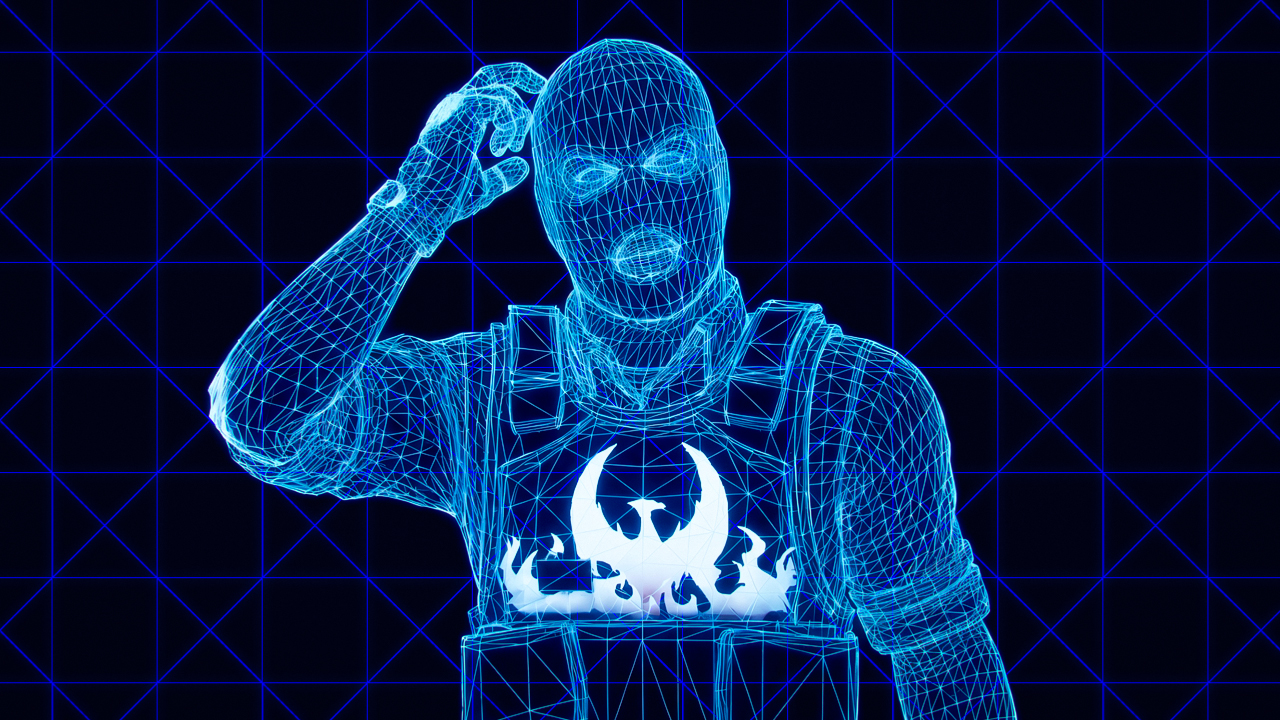
Wallhack provides the most value in practice sessions focused on map knowledge. It helps track how player models move behind cover, where enemies can hide, and which angles remain dangerous even when they look clear. Wallhack can also be useful for identifying blind spots on maps with multi-level geometry, especially in areas with stairs, balconies, tunnels, or layered bombsites, such as Mirage, Inferno, and Nuke. Instead of checking positions from memory, the player can see how opponents rotate, hold off-angles, and appear around common contact points.
Combining Wallhack with Other Training Commands
Wallhack practice becomes more useful when combined with basic CS2 console commands. A player can place an enemy model, freeze it, test an angle, throw utility, and check the result through walls.
- noclip: Lets the player move freely around the map, fly through objects, and quickly check positions from different sides.
- bot_add_t or bot_add_ct: Adds bots for the Terrorist or Counter-Terrorist side, making it easier to set up simple practice scenarios.
- bot_place: Puts a bot where the crosshair is aimed, which is useful for testing exact hiding spots, off-angles, and common duel positions.
- bot_stop 1: Keeps bots still, so the same position can be reviewed several times without movement changing the result.
- bot_dont_shoot 1: Stops bots from shooting, keeping the focus on visibility, positioning, and angle checks.
- sv_grenade_trajectory_prac_pipreview 1: Shows a grenade preview, helping with smokes, flashes, and molotov practice.
- sv_showimpacts 1: Displays bullet impacts, useful for checking wallbangs, spray paths, and shots through cover.
Best Maps to Train with Wallhack
The best maps for wallhack training are maps with many layered angles, tight connectors, and common hiding spots. Mirage is one of the clearest examples because it has mid control, Palace, apps, connector, short, underpass, and several elevation changes that make visibility practice useful. Nuke is also good for this type of training because of its upper and lower site structure. Inferno works well for checking Banana, apartments, pit, and site crossfires, while Ancient and Anubis help with wider rotations and layered cover. As for Workshop maps, they’re easy to find and update, and they can let players practice with real opponents instead of bots.
Why Players Use Wallhack in Training
Players use wallhack during training to learn maps with more clarity and less trial and error. When models are visible through walls, it becomes easier to follow enemy movement, understand where opponents pause, and see which angles they protect. Wallhack also makes practice easier to analyze. A smoke can be tested while player positions remain visible, a flash can be reviewed from the other side, and a wallbang can be checked together with the target’s exact location. A single map can contain a wide variety of possible scenarios, and WH makes them easier to test.
Is CS2 Wallhack Legal?
CS2 wallhack use is generally acceptable only in closed, non-competitive environments designed for training. Offline sessions are completely safe, as VAC isn’t active there, and private servers are also allowed when the host controls the rules, commands, and match setup. In these cases, enhanced visibility features are used for training, map learning, angle checks, and position testing without affecting other players or official matches.
The situation changes in public matchmaking. Using third-party wallhack software in official CS2 matches is cheating and can lead to a VAC ban. Platforms such as FACEIT and ESEA also have their own anti-cheat systems, so even an attempt to use external software there can result in a separate platform ban. Built-in commands can be useful for private practice, but third-party cheat tools don’t belong in competitive matches.
FAQ
-
What is the wallhack command in CS2?
In CS2, players usually refer to two wallhack practice commands. They are ent_skeleton [PLAYER/NUMBER], which displays player skeletons through map geometry, and toggle r_aoproxy_show 0 1, which enables or disables a yellow visibility overlay. These commands are mainly used for testing angles, checking positions, studying movement, and reviewing map setups.
-
Does r_drawothermodels 2 work in CS2?
No, r_drawothermodels 2 doesn’t work in CS2 the same way it did in CS:GO. It was one of the older commands players associated with model visibility in CS:GO practice matches. CS2 uses a different command system, so older console methods don’t always carry over.
-
Can you get VAC banned for using wallhack commands in CS2?
VAC bans are connected to cheating software and unfair modifications, not standard practice commands. On training maps or private servers, they are not treated the same way as external cheating tools. Risk comes from using outside software or unfair visibility features in public or competitive matches.
-
What’s the difference between CS:GO wallhack and CS2 wallhack commands?
CS:GO players often relied on r_drawothermodels 2 for visibility testing in private practice. CS2 handles this differently and leans more on commands such as ent_skeleton and toggle r_aoproxy_show 0 1. Because of that, many older CS:GO console guides don’t apply to CS2.
-
How do I turn off wallhack in CS2?
Wallhack overlays can usually be disabled by clearing the active debug display. Commands such as ent_clear_debug_overlays or cl_ent_clear_debug_overlays remove skeletons, labels, and other visual overlays from the screen. For r_aoproxy_show, running toggle r_aoproxy_show 0 1 again can switch the effect off. If an overlay remains after that, restarting the map or server session usually clears it.


![Desert Eagle Heat Treated CS2 Guide & Patterns [2026]](https://community.skin.club/wp-content/uploads/2026/09/Main-x-Name-11-768x432.jpg)
![How to Get a Service Medal in CS2: Full Guide [2026]](https://community.skin.club/wp-content/uploads/2024/10/Main-x-Name-5-768x432.jpg)