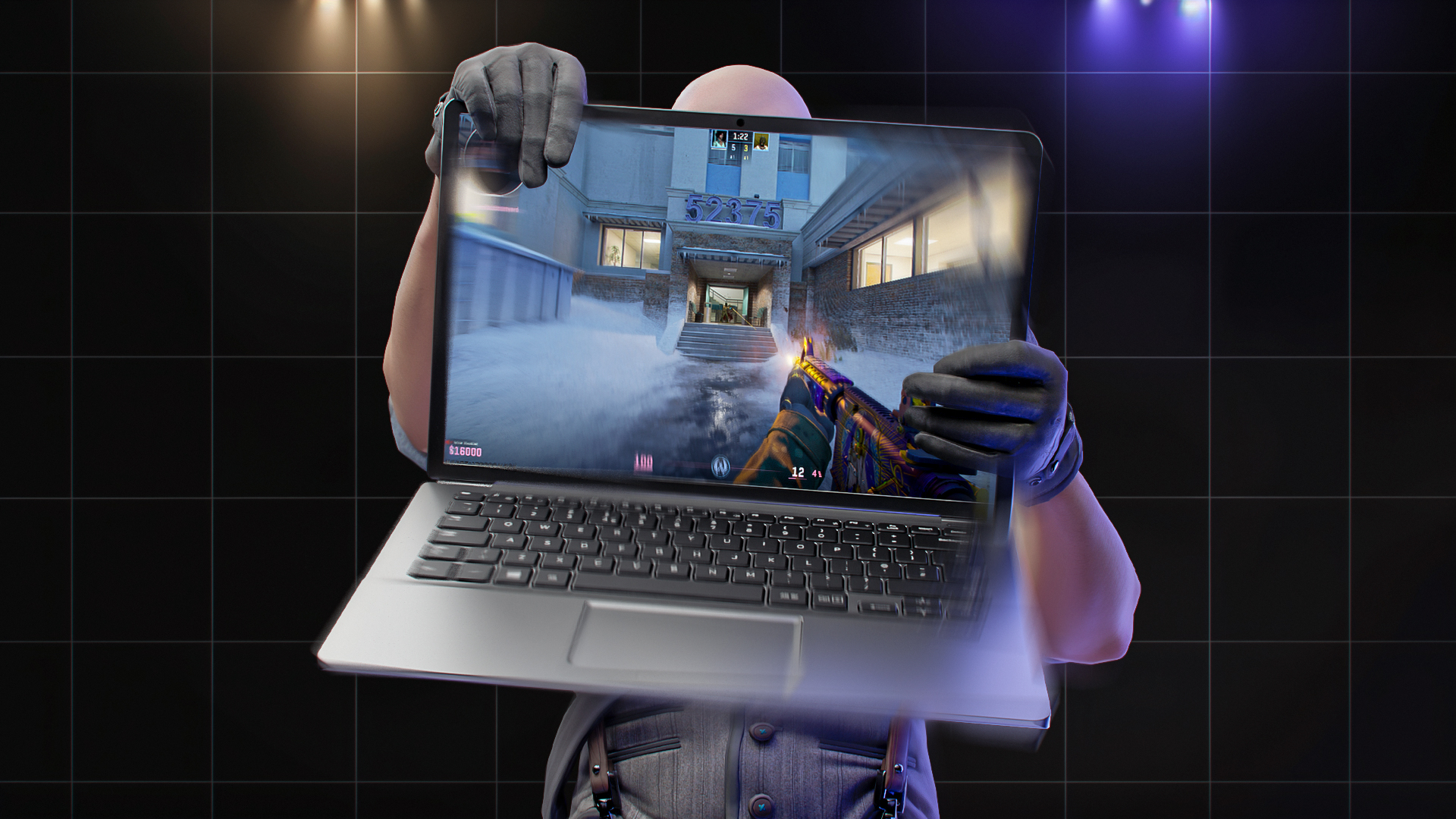

Screen shake in Counter-Strike 2 makes the in-game camera wobble during weapon fire or after taking damage. The effect can look minor at first, yet it changes how fights feel because the camera moves while the actual recoil pattern follows its own path. That disconnect creates visual recoil, which can pull attention away from the crosshair and make head tracking more difficult. Many guides on how to remove screen shake in CS2 still suggest using old CS:GO console commands such as cl_bob to fix the issue. In reality, those legacy commands no longer work in the current version of the game. Reducing the effect instead requires adjusting viewmodel and FOV settings to minimize visual camera movement.
What Is Weapon Bob in CS2?
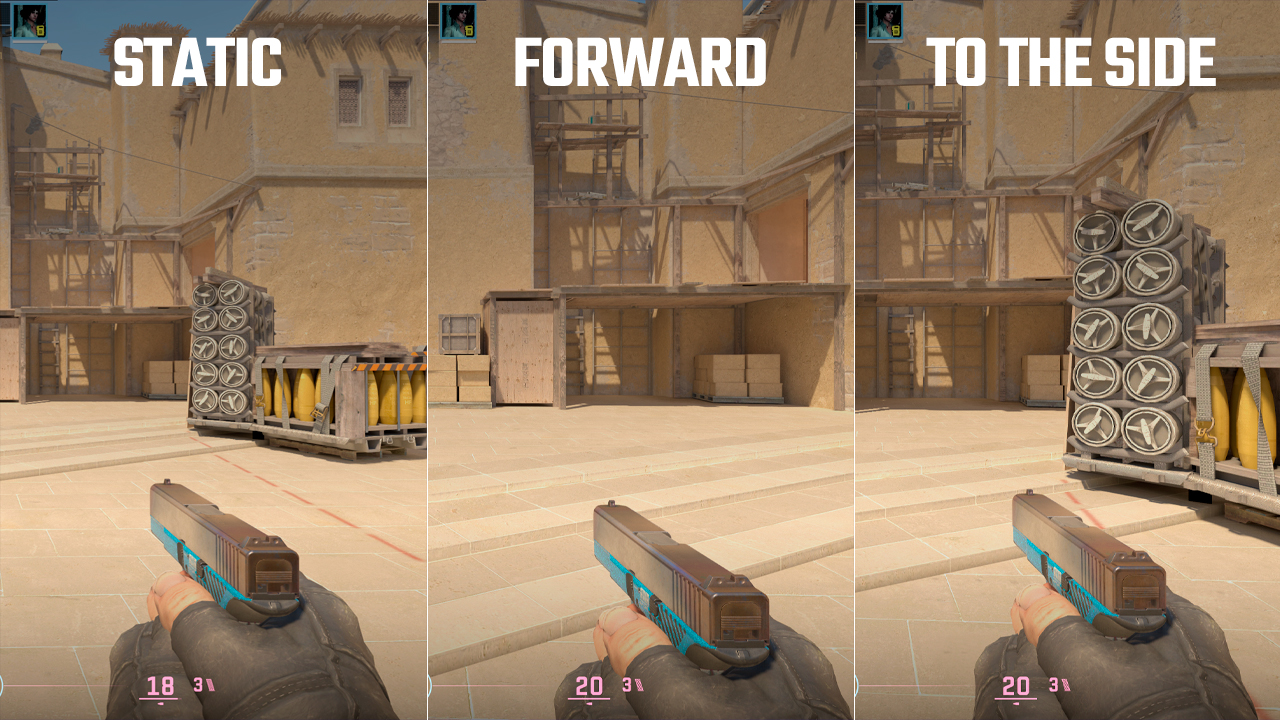
Weapon bob, also called viewmodel bobbing, is the movement of the weapon model and hands in Counter-Strike 2. While walking or running, the viewmodel shifts up, down, and sideways, creating a swinging animation. It doesn’t affect bullet spread or recoil behavior. However, it can make the screen appear less stable.
The CS2 bob commands previously controlled this behavior. The cl_usenewbob variable handled it in the new engine, while in CS:GO it was managed through the cl_bob command group, including cl_bob_lower_amt, cl_bobamt_lat, cl_bobamt_vert, cl_bobcycle, and related values. Entering these commands now results in an Unknown command error. In 2026, cl_bob and related commands don’t work anymore, neither on official servers nor on custom servers.
Why Reduce CS2 Screen Shake?
Screen shake and weapon bobbing add unnecessary camera movement to the game. This effect does not improve recoil control or bullet spread. Instead, it creates a constant visual distraction, making it harder to track targets. In older versions of Counter-Strike, legacy cl_bob commands allowed players to adjust weapon sway on the screen. In CS2, these commands are no longer available. The fixed animation system gives players a more consistent first-person view in official matches and reduces the impact of hidden console settings. However, it also makes the game less customizable, making visual target tracking more demanding.
How to Reduce CS2 Screen Shake: Step-by-Step
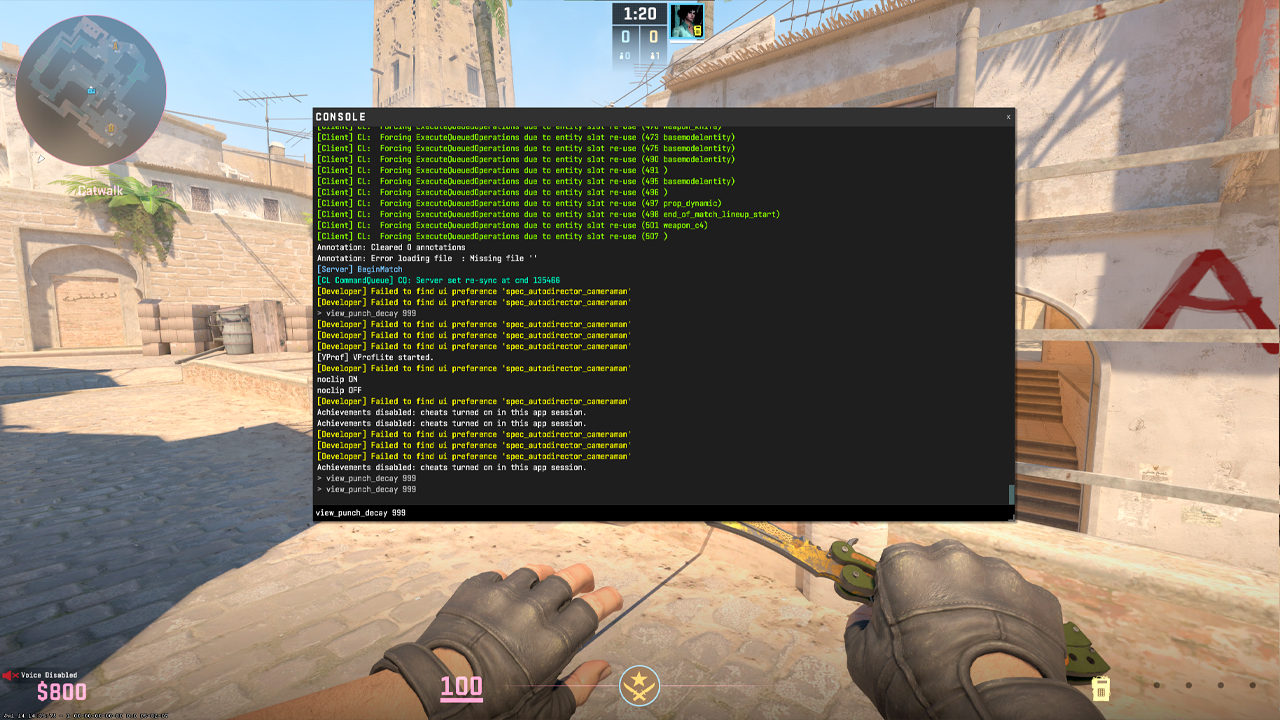
Step 1: Enable the Developer Console
- Open Settings from the main menu.
- Go to Game.
- Find Enable Developer Console (~).
- Set it to Yes.
- Press ~ to open the console.
Step 2: Enable sv_cheats
- Start a private server, offline practice match, or workshop map.
- Open the console.
- Enter sv_cheats true, as the command below is cheat-protected.
- It won’t work in Premier, Competitive, or normal official matchmaking.
Step 3: Enter the Command
Enter view_punch_decay 999 in the console after enabling sv_cheats. This command makes the view punch recover faster after shooting, reducing part of the camera kick. It can lessen some of the screen movement caused by firing in offline sessions, but it doesn’t remove the standard CS2 weapon bob that occurs while walking or running. It also doesn’t affect recoil, spread, bullet behavior, or hit registration.
Step 4: Make It Permanent (autoexec)
- Navigate to your local files at …\Counter-Strike Global Offensive\game\csgo\cfg.
- Open the existing autoexec.cfg with Notepad, or create a new text document and save it exactly with that name and extension.
- Scroll to the bottom, paste view_punch_decay 999 on a new line, and add host_writeconfig at the very end to save the settings.
- The command will load automatically on startup, but the stabilization effect still requires sv_cheats true to function.
- If cheats are disabled on official matchmaking servers, the engine ignores this line, keeping it active exclusively for offline practice.
CS2 Bob Settings: What Still Works
Command | Works in CS2? | Requires sv_cheats true? |
|---|---|---|
view_punch_decay 999 |
Yes, changes how quickly the view punch settles after shooting, reducing camera kick faster |
Yes |
cl_bob_lower_amt |
No, returns Unknown command |
N/A (Removed) |
cl_bobamt_lat |
No, returns Unknown command |
N/A (Removed) |
cl_bobamt_vert |
No, returns Unknown command |
N/A (Removed) |
cl_bobcycle |
No, returns Unknown command |
N/A (Removed) |
cl_usenewbob |
No, returns Unknown command |
N/A (Removed) |
viewmodel_recoil |
No, returns Unknown command |
N/A (Removed) |
weapon_recoil_view_punch_extra |
No, returns Unknown command |
N/A (Removed) |
Legal Alternative for Official Matchmaking
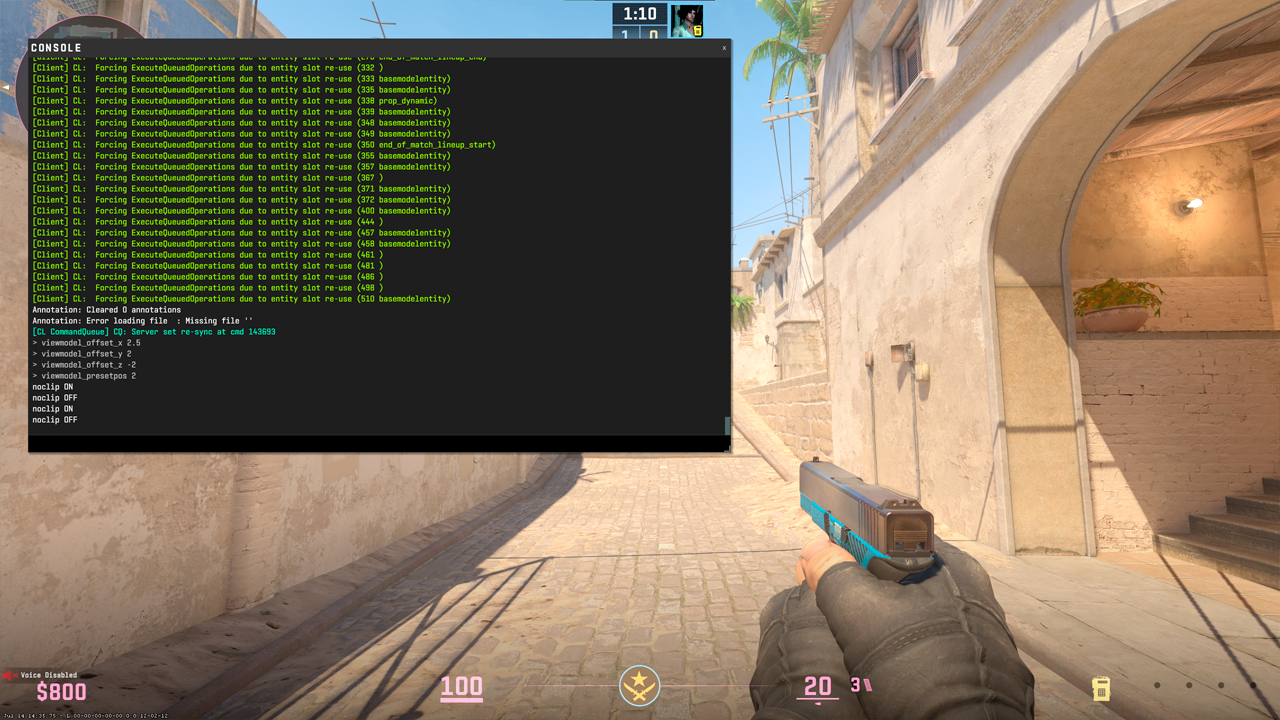
Viewmodel settings are the best practical option for regular CS2 matches because they work without sv_cheats and are fully allowed in official matchmaking. While they don’t remove screen shake, view punch, or bobbing, they change where the weapon and hands are placed on the screen:
- viewmodel_fov 68
- viewmodel_offset_x 2.5
- viewmodel_offset_y 2
- viewmodel_offset_z -2
- viewmodel_presetpos 2
These are the highest values available. These commands can be saved directly to the autoexec file to avoid entering them manually before every session. Although weapon bob cannot be disabled in-game, this setup helps reduce visual camera distractions.
FAQ
-
How do I remove screen shake in CS2?
Complete removal isn’t possible in official matchmaking. In offline practice, view_punch_decay 999 can reduce the view punch after shooting, while in live matches, viewmodel settings help make camera movement less distracting.
-
What are the best bob settings in CS2?
The old bob settings no longer work in current CS2. A practical setup is viewmodel_fov 68, viewmodel_offset_x 2.5, viewmodel_offset_y 2, and viewmodel_offset_z -2, which moves the weapon farther from the crosshair area.
-
Why is the bob command not working in CS2?
The old cl_bob command group came from CS:GO and is no longer supported in current CS2 builds. Entering these commands usually returns an Unknown command error.
-
Can I remove weapon bob in CS2 matchmaking?
No. Weapon bob can’t be fully removed in matchmaking. Viewmodel settings can only reduce how distracting it appears by moving the weapon and hands farther away from the center of the screen.
-
Did the bob command change from CS:GO to CS2?
Yes. The system changed significantly. CS:GO allowed more bob control through cl_bob commands, while CS2 no longer provides the same console options.



![CS2 Chicken Eggs Explained: How Pets Work [2026]](https://community.skin.club/wp-content/uploads/2026/10/Main-x-Name-768x432.jpg)
![CS2 Weekly Drop Pool: Cases, Skins & How It Works [2026]](https://community.skin.club/wp-content/uploads/2025/10/Main-x-Name-11-768x432.jpg)
![Newest CS2 Cases: List & Release Dates [2026]](https://community.skin.club/wp-content/uploads/2026/05/Main-x-Name-768x432.jpg)