
Classic jumpthrow binds stopped working in CS2 after Valve’s August 2024 update. Many players still search for bind jumpthrow CS2, as one-key grenade timing was part of matchmaking, FACEIT practice, and older lineup routines for years. The update changed the role of the CS2 jumpthrow bind, turning it from a standard utility shortcut into an outdated setup that official servers ignore by default. Manual jump throws are now more reliable, as CS2 accepts a quick jump and grenade release within a small timing window.
What Is a Jump Throw in CS2?
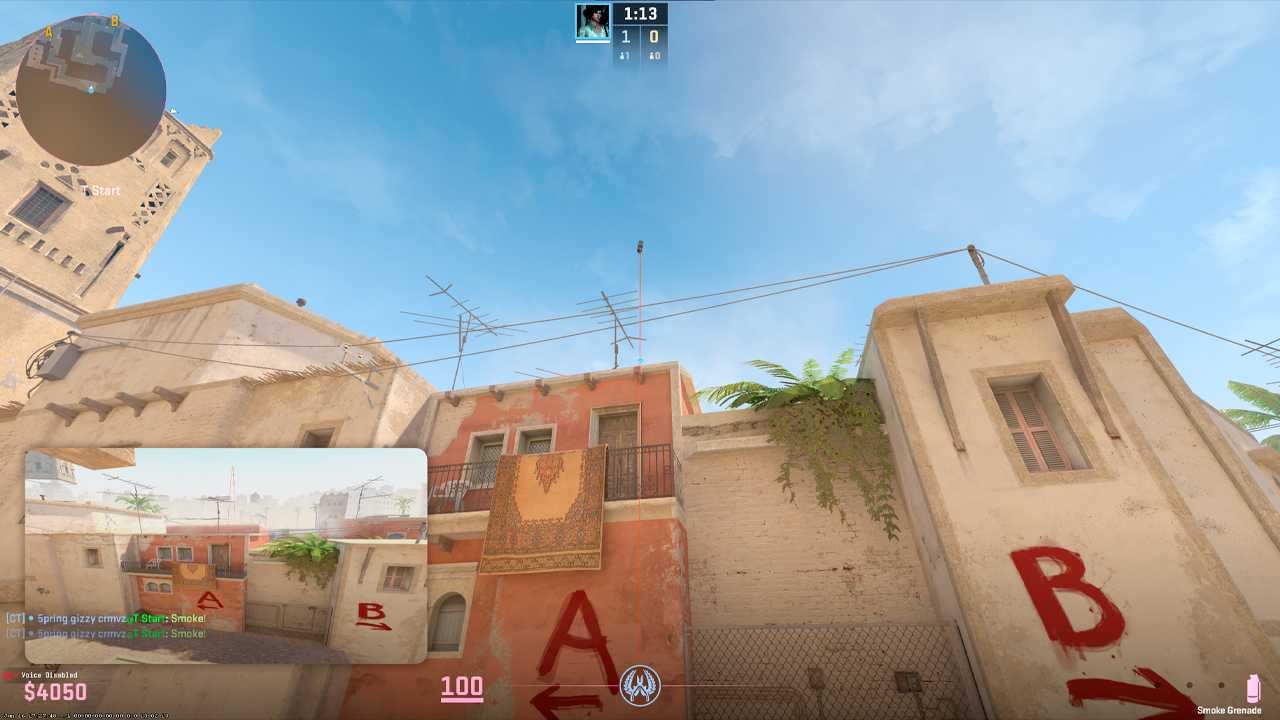
A jump throw in CS2 is a grenade throw in which the player jumps and releases the grenade almost simultaneously. This technique removes timing inconsistencies from grenade lineups that depend on the exact release moment. Smokes are the main reason players practice jumpthrow CS2 lineups, since even a small delay between the jump and the grenade release can change the trajectory and final landing point. In CS, many players used binds to avoid timing mistakes during these throws. The update also surprised the pro scene, as professional players used not only the basic jumpthrow bind but also variations such as W-jumpthrow and run-throw in their utility routines.
Are Jump Throw Binds Banned in CS2?
What the August 2024 Update Changed
Classic jumpthrow binds stopped working on Valve official servers after the August 19, 2024 Side-stepping Skill update. Valve stopped allowing automation that performs multiple player actions from a single input. The change affected older commands such as bind X “+jump; -attack; -jump”, +jt and -jt aliases, CFG files that use exec jumpthrow, and hardware features such as Snap Tap, SOCD, and Wooting Rappy Snappy. This restriction applies to Valve matchmaking and Premier.
What Still Works
A mouse wheel jump bind still works because it maps one input to one action. Commands such as bind mwheelup +jump or bind mwheeldown +jump only make the player jump. They don’t release the grenade or combine multiple actions. Manual jump throws also work in CS2, as the game accepts a quick jump and grenade release within a small timing window. In regular FACEIT queues, manual jump throws and mouse wheel jump binds function as normal game inputs.
Risks of Using Old Binds
Old multi-action jumpthrow binds can lead to a kick from Valve official servers. This is not the same as a traditional VAC ban for cheating. According to community reports, old binds can also trigger short cooldowns, including 24-hour restrictions. On FACEIT, regular queues and tournament rules should be separated. Regular FACEIT play does not prohibit manual jump throws or mouse wheel jump binds, while some FACEIT cups prohibit jumpthrow scripts and binds that perform more than one function. Hardware and software features that create multi-action inputs, including Snap Tap, SOCD, and null binds, can also trigger kicks on Valve official servers.
Mouse Wheel Jump Bind
The mouse wheel jump bind is an allowed helper bind that many players still use in CS2. It’s also common among high-level players and pros because it doesn’t perform a jump throw automatically. It only binds jump to the mouse wheel or keeps Space as the jump key. The setup is simple:
- bind mwheelup +jump
- bind mwheeldown +jump
- bind space +jump
This works under Valve’s rules because each input performs one action: jumping. It doesn’t combine jump with grenade release. Mouse wheel scrolling sends several jump inputs during a single scroll, making jump timing more consistent than a single Space press. It also frees the left hand for movement and holding the grenade throw button. The right hand controls the mouse, aim, and scroll jump, which makes manual jump throws feel more natural.
How to Jump Throw Manually in CS2
Standing Jumpthrow
A manual jump throw starts by selecting the grenade and lining up the throw. The player holds LMB for a normal throw, LMB+RMB for a middle throw, or RMB for an underhand throw. After that, the player jumps and releases the throw button near the peak of the jump. The same timing should be repeated for the same smoke lineup, since the release moment determines where the grenade lands.
W-Jumpthrow
A W-jumpthrow adds a short forward step to a standard jump throw. It’s used for lineups that need slightly more distance than a standing jump throw can provide:
- Stand still in the exact lineup position.
- Place the crosshair on the required reference point.
- Hold the throw button before moving.
- Press W for a short forward step and press jump at the same moment.
- Release the throw button at the same time as the jump input.
- Keep the same start position, crosshair point, and W timing for every attempt.
Using the Forgiving Input Window
CS2 sub tick system compensates for small timing mistakes between the jump and grenade release. The allowed error window is around 50 ms, which is much wider than it was in CS:GO. This makes the difference between a bind and a manual jump throw much smaller in CS2. In practice, a clean manual jump throw is reliable enough for regular smoke lineups, so the classic one-key bind matters much less than before.
Jump Throw Practice Commands
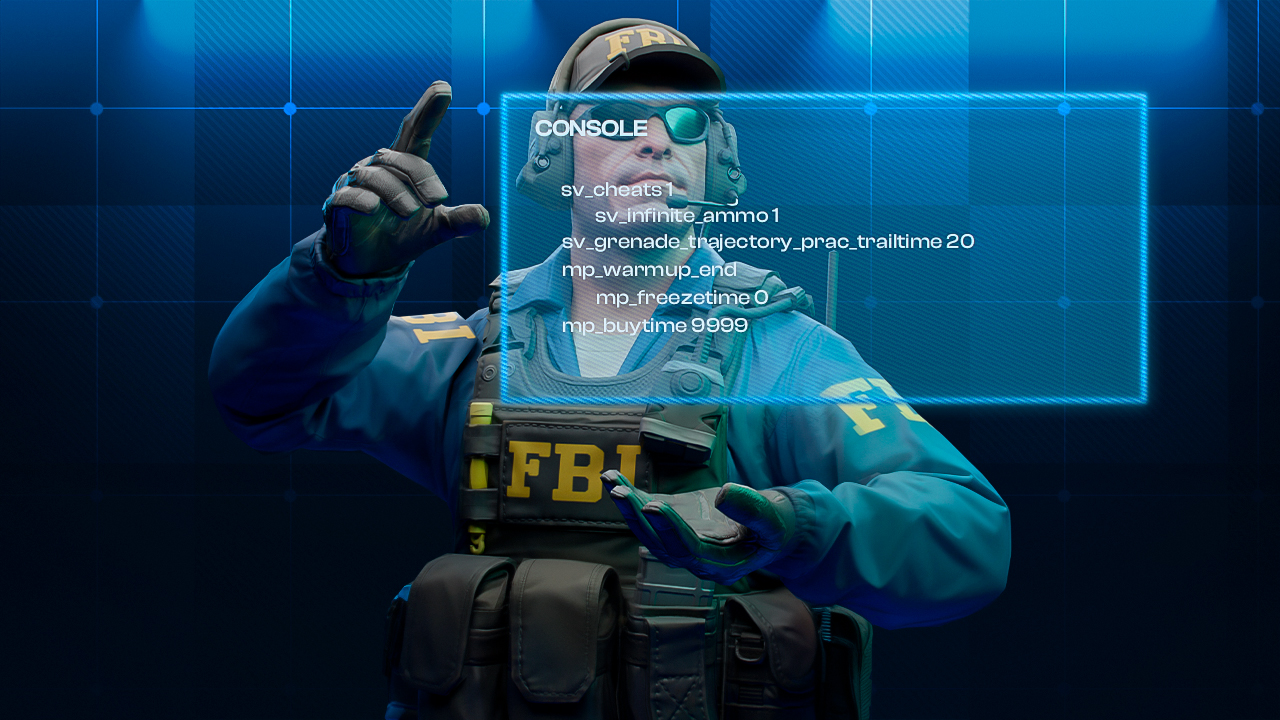
Practice commands help test smoke lineups, check grenade paths, and repeat the same jump throw until the landing point becomes stable. They should be used on an offline server or a private practice server:
- sv_cheats 1 enables cheat protected practice commands.
- sv_infinite_ammo 1 gives unlimited grenades and ammo.
- sv_grenade_trajectory_prac_trailtime 20 keeps the grenade trail visible for longer.
- sv_grenade_trajectory_prac_pipreview 1 shows a picture in picture grenade preview.
- mp_warmup_end ends warmup.
- mp_freezetime 0 removes freeze time at the start of rounds.
- mp_buytime 9999 gives extended buy time.
- mp_buy_anywhere 1 allows buying anywhere on the map.
- mp_restartgame 1 restarts the practice session with the new settings.
- bind “alt” “noclip” binds noclip to Alt for flying through walls and checking lineups faster.
- bind “c” “sv_rethrow_last_grenade” repeats the last grenade throw and helps check the trajectory from another position.
These commands work only with sv_cheats 1 enabled. They don’t work in matchmaking.
Tips for Consistent Jump Throws
Practice Setup for Jump Throw
Clean jump throws in CS2 start with a simple setup and consistent practice. A mouse wheel jump bind helps keep the jump input consistent, while Space can remain as a backup key. During practice, the character’s short effort grunt during a jump can help track the timing and make grenade releases more repeatable. Workshop utility maps also help, as they clearly show positions and lineup options. To find them, players can search for the map name followed by Utility, such as Dust 2 Utility.
Smoke Lineup Accuracy and Server Limits
If a smoke lineup keeps failing, practice it before matches until the grenade lands in the same spot multiple times in a row. Smokes and molotovs also require separate muscle memory, as they have different trajectories and release timings. Old multi-action binds are blocked on Valve official servers and can trigger kicks.
FAQ
-
Are jumpthrow binds banned in CS2?
Old multi-action jumpthrow binds are blocked on Valve official servers. Manual jump throws and single-action jump binds still work.
-
Can I get VAC banned for using a jumpthrow bind?
A traditional VAC ban is unlikely. Old multi-action binds can trigger match kicks, and community reports mention short cooldowns.
-
What's the best key to bind jump for jump throws?
The mouse wheel is the safest helper option. Many players bind jump to mwheelup or mwheeldown and keep Space as a backup.
-
Does CS2 sub-tick make jump throws easier?
CS2 sub-tick system makes manual jump throws easier by compensating for small timing errors between the jump and grenade release.
-
Is there any way to bind a jump throw in CS2 that still works?
Yes. Use a mouse wheel jump helper such as bind mwheelup +jump or bind mwheeldown +jump. The grenade release must remain manual.


![How to Fix Net Jitter in CS2 [2026]](https://community.skin.club/wp-content/uploads/2025/12/Main-x-Name-3-768x432.jpg)
![Newest CS2 Cases: List & Release Dates [2026]](https://community.skin.club/wp-content/uploads/2026/05/Main-x-Name-768x432.jpg)