
A Trade Up Contract in CS2 is an inventory feature that exchanges ten eligible weapon skins of the same rarity for one skin of the next rarity tier. Players use it to convert low-value items into a chance at a more valuable result, making contracts part of skin trading and inventory management. The outcome depends on the collections represented in the contract, while the received skin’s rarity is fixed at one level above the inputs. Each contract follows fixed rules that determine which skins can be used and what result can appear.
How Trade Up Contracts Work in 2026
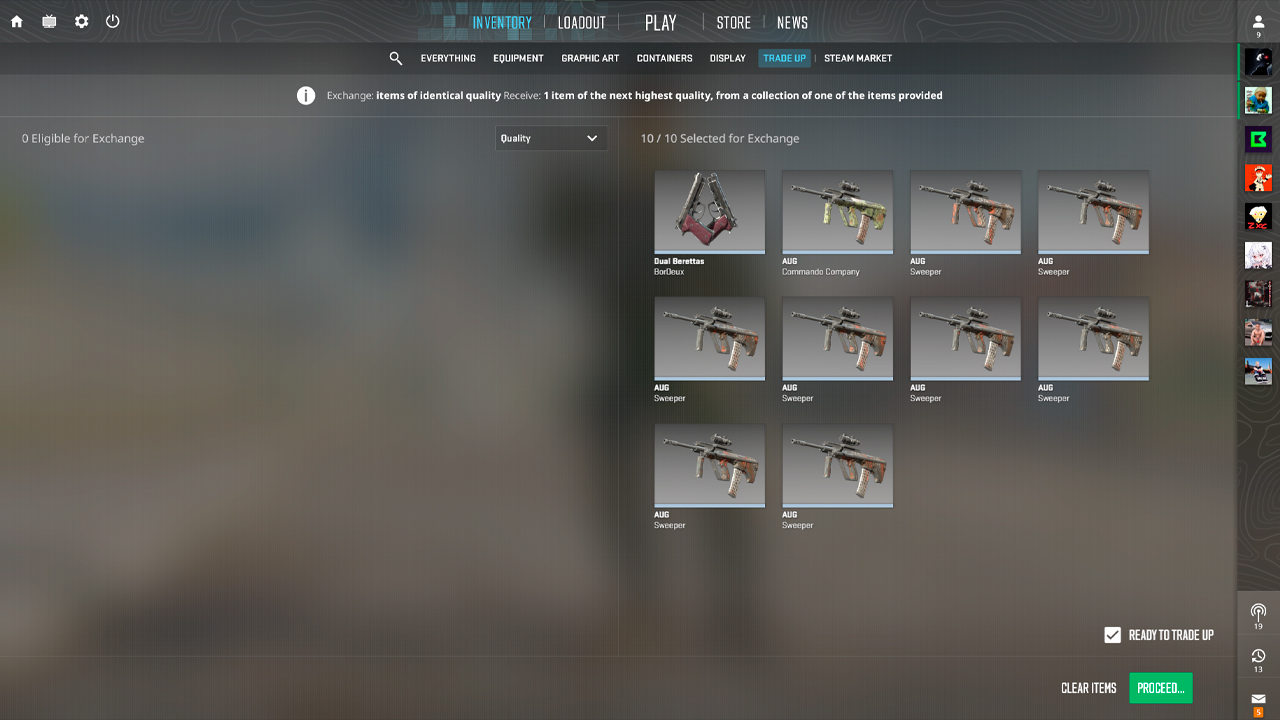
In 2026, the system has two formats: standard contracts and the Covert contract added in October 2025. Each follows specific restrictions for rarity, item type, and collection.
- Standard contracts require 10 skins of the same quality.
- Skins from different collections can be mixed, but the result can only come from a collection represented by the inputs.
- StatTrak™ and regular skins can’t be combined in one contract.
- Souvenir and regular skins can be mixed. The Souvenir attribute is removed, and the output is a regular item.
- Covert is no longer the final step. Five regular Covert skins can produce regular knives or gloves, while five StatTrak™ Covert skins can produce a StatTrak™ knife.
How to Trade Up: Step by Step
The contract is opened through an eligible skin in the CS2 inventory. Every selected item should be checked before submission, since completing the contract consumes all input skins.
- Open the inventory and left-click an eligible weapon skin.
- Select Use With Trade Up Contract from the item menu.
- Add eligible skins until every input slot is filled.
- Review the skins, their collections, and item types before proceeding.
- Sign the contract with the mouse and confirm the exchange.
- The resulting item is added to the inventory automatically.
The October 2025 Update: What Changed
Valve’s October 2025 update extended Trade Up Contracts beyond Covert weapon skins. Demand for eligible Covert skins rose immediately, pushing many prices upward as traders searched for contract inputs. At the same time, knife and glove prices fell because the update created a new source of supply outside case openings. The change caused heavy market volatility and forced prices across connected collections to adjust. It was reported that the total of the CS2 item market fell by more than 30% overnight, though market-cap estimates remain approximate.
Knife & Glove Trade Ups
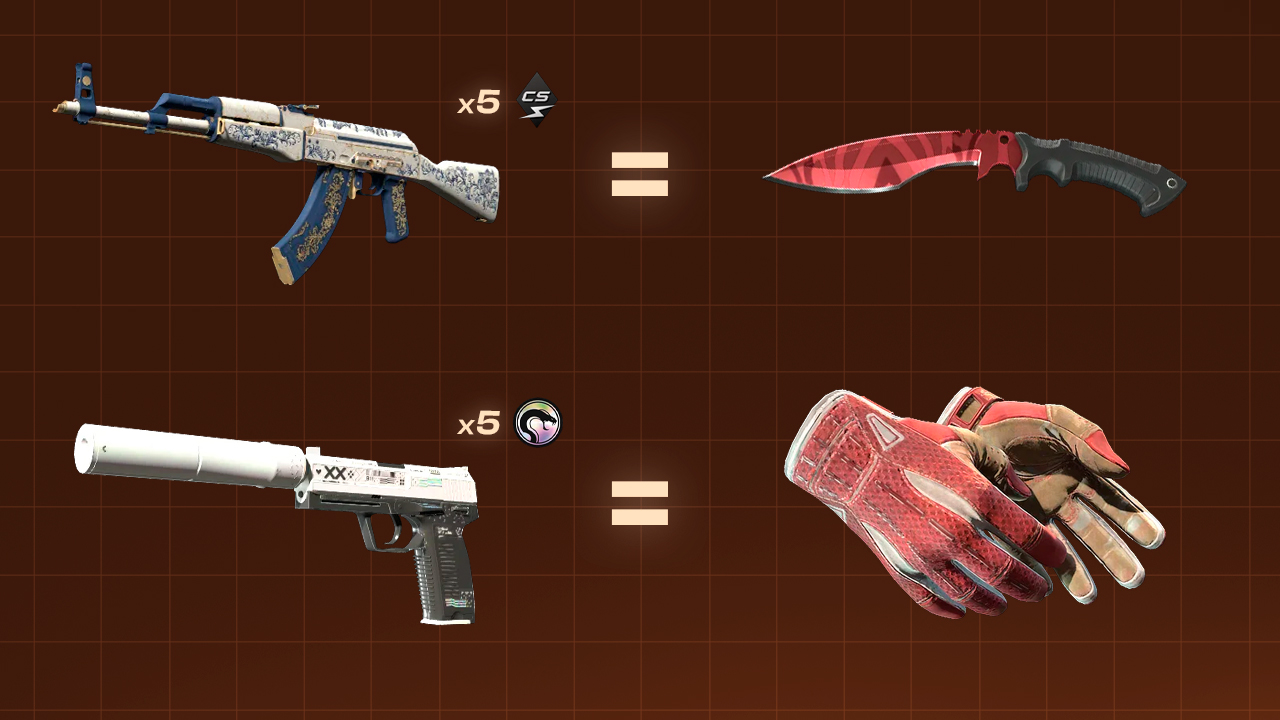
Knife and glove contracts require five Covert skins, as mentioned above. The cases represented by those inputs define the rare special item pool. Using skins from a single case limits the outcome to that case’s rare item pool, although the exact finish isn’t selected.
- Five regular Covert skins from the Kilowatt Case produce a regular Kukri Knife in one of the case’s available finishes.
- Five regular Covert skins from the Recoil Case produce one of the gloves linked to that case.
- Mixing Covert skins from different cases adds their rare item pools to the possible outcomes.
- Gloves don’t have StatTrak™ versions, so five StatTrak™ Covert skins always produce a StatTrak™ knife. StatTrak™ Coverts from collections with glove-only rare pools are ineligible.
- The resulting knife or gloves receive a seven-day trade hold before they can be traded or sold.
How the Odds Work
In 2026, every input carries an equal share of a Trade Up Contract’s probability: 10% in a standard contract and 20% in a five-Covert contract. The game first selects an input, then chooses one eligible output from that input’s collection. At the Classified-to-Covert tier, using one input from the Cobblestone Collection and nine from the Spectrum 2 Collection gives Cobblestone 10% of the total probability and Spectrum 2 90%. Spectrum 2’s share is then divided among its eligible Covert outcomes. This per-input formula is based on community testing after the update. Valve doesn’t officially publish Trade Up Contract odds.
How Output Float Is Calculated
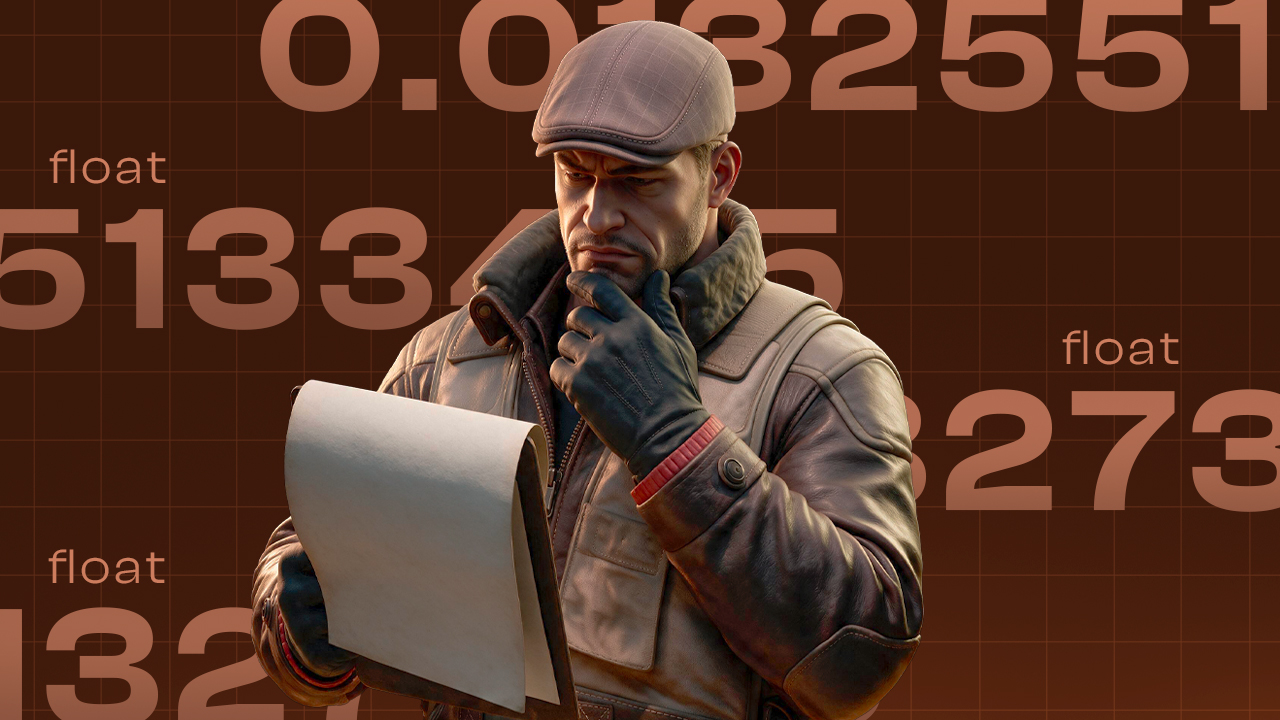
The output float value is determined by the position of each input within its own permitted float range. The same normalized average is applied to every possible output, but different output caps can produce different wear conditions.
- Clamp: Match each input’s stored float to its skin-specific minimum and maximum range.
- Normalize: Convert each float to a 0-1 value using (float – minimum) ÷ (maximum – minimum).
- Average: Add the normalized values and divide by the number of inputs.
- Project: Map that average onto each output’s range using minimum + average × (maximum − minimum).
A narrow output cap, such as 0.06-0.80, can push the result above 0.07, producing Minimal Wear instead of Factory New and eliminating the contract’s economic benefit. Every possible output float should be checked before signing.
Profitable Trade Ups in 2026
Profitable trade-ups depend on exact float targeting, controlled entry costs, and output liquidity after marketplace fees. Positive EV can’t be treated as fixed, since higher input prices or weaker demand can erase the margin, and the market remains volatile after the October 2025 update. All figures use prices recorded on July 16, 2026, and should be recalculated before execution.
Contract | Inputs | Possible outputs | Cost → EV after fee |
|---|---|---|---|
Consumer
(76% profit chance) |
P90 Scorched FT, G3SG1 Safari Mesh FT, P250 Bone Mask FT+BS, AUG Colony WW, Galil AR Hunting Blind FT, PP-Bizon Forest Leaves FT+WW+BS, MAC-10 Tornado BS |
SSG 08 Tropical Storm WW, MP7 Orange Peel WW, Glock-18 Groundwater WW, P2000 Grassland Leaves WW, Negev CaliCamo FT, SG 553 Gator Mesh FT |
$19 → $30 |
Restricted
(70% profit chance) |
AUG Sand Storm FT+MW+WW, XM1014 Elegant Vines FT+MW, Glock-18 Pink DDPAT FT+WW, XM1014 Black Tie BS, Galil AR Firefight WW+BS |
Desert Eagle Fennec Fox WW, MP5-SD Oxide Oasis FT, AUG Fleet Flock BS, P250 Asiimov BS, UMP-45 Primal Saber WW |
$142 → $395 |
Classified
(100% profit chance) |
9× Five-SeveN Fall Hazard FT + SG 553 Hazard Pay FT |
M4A1-S Imminent Danger WW |
$1,678 → $3,430 |
Strategies: Collections, Fillers, Floats
Collections, fillers, and floats work together when building a Trade Up Contract. The main strategy depends on the player’s priority.
- Pool-control strategy: Use all inputs from one collection to keep every possible result inside the same output pool. Input floats should still be tested against every possible result.
- Weighted-target strategy: Use several inputs from the target collection and complete the contract with cheaper fillers from another collection. This lowers the cost but transfers part of the probability to the filler collection.
- Float-threshold strategy: Combine a few low normalized-float inputs with cheaper higher-float skins while keeping the final average below the required wear threshold. This avoids overpaying for ten premium inputs, but every possible output must be checked separately because float caps differ.
Common Mistakes
Trade Up Contracts apply the selected inputs without correcting poor collection choices, unsuitable floats, or inaccurate price assumptions. A valid contract can therefore produce the expected item type and still result in the wrong wear tier or a financial loss.
- Checking only the target result: Every possible output and its probability must be included in the expected-value calculation. A valuable target doesn’t make the full contract profitable.
- Averaging raw float values: Current output calculations use normalized input floats and each result’s specific float range. Ignoring these caps can produce a worse wear condition than planned.
- Using incompatible inputs: Standard contracts require skins of the same rarity, and regular items can’t be mixed with StatTrak items. Souvenir skins lose their Souvenir attributes when used with regular skins.
- Choosing fillers by price alone: Cheap fillers add their collections and unwanted results to the outcome pool. Their probability, float, and output value must be calculated before purchase.
- Ignoring selling costs and liquidity: Listed prices aren’t equal to the amount received after fees, and rare outputs may take time to sell at the expected value.
Collection names, item types, and every possible wear result should be checked again before signing.
FAQ
-
How many skins are required for a Trade-Up Contract in CS2?
A standard Trade Up Contract requires 10 skins of the same quality. Knife and glove trade-ups require five Covert skins instead.
-
Can you trade up souvenir skins in CS2?
Yes. Since the May 22, 2026 update, Souvenir skins can also be mixed with regular skins, but their Souvenir attributes are removed and the output is a regular item.
-
Can you trade up to a knife in CS2?
Yes. Since the October 2025 update, five Covert skins can be exchanged through a Trade Up Contract for a knife or gloves, depending on the collections and StatTrak status of the inputs.

![Newest CS2 Cases: List & Release Dates [2026]](https://community.skin.club/wp-content/uploads/2026/05/Main-x-Name-768x432.jpg)
![M4A1-S Fade Pattern Guide: All Seeds & Full Fade [2026]](https://community.skin.club/wp-content/uploads/2024/10/Main-x-Name-1-4-768x432.jpg)